

How to get answers to drayage-related questions
Portmate can answer many drayage-related questions directly. You can ask about basic drayage concepts, equipment, container types, chassis tiers, overweight planning, accessorials, terminal selection, instant quotes, and booking steps.
For general knowledge questions, you do not need to sign in. Portmate searches relevant help articles and uses the most applicable source material to produce a grounded response. If your question turns into an action, such as creating a quote or booking a shipment, Portmate may ask for the required shipment details or sign-in verification.
Understand what Portmate can answer
Portmate works best when your question is related to containerized drayage, U.S. port or rail moves, supported equipment, pricing workflows, or operational planning.
Common question types
You can ask questions such as:
- What does drayage mean?
- What is the difference between a port terminal and a rail ramp?
- What container types does Portmate support for instant quotes?
- What is a chassis, and when would a triaxle chassis matter?
- How do I know whether my cargo may be overweight?
- What are accessorials?
- How does Portmate decide which terminal to quote?
- What details do I need before asking for an instant quote?
- How do I book a shipment after I have a quote?
For a broad definition of drayage and its role in container logistics, read What is drayage.
What makes a good question
A good question gives Portmate enough context to know whether you want a general explanation or an operational answer.
General question examples:
- "What is drayage?"
- "What does FCL mean in drayage?"
- "What is a chassis split?"
- "What is a container drop?"
Operational question examples:
- "Can a 40HC from Savannah to Atlanta support 24,000 kg?"
- "What accessorials are available in Houston?"
- "Which terminal is closest to ZIP 30304?"
- "What information do I need for an instant quote?"
If your question includes a terminal, facility, container type, cargo weight, or specific charge, Portmate can usually give a more useful answer.
Ask your question in Portmate
Use Portmate when you want a practical answer without searching through every guide manually.
Step 1: Open Portmate
- Visit portmate.ai.
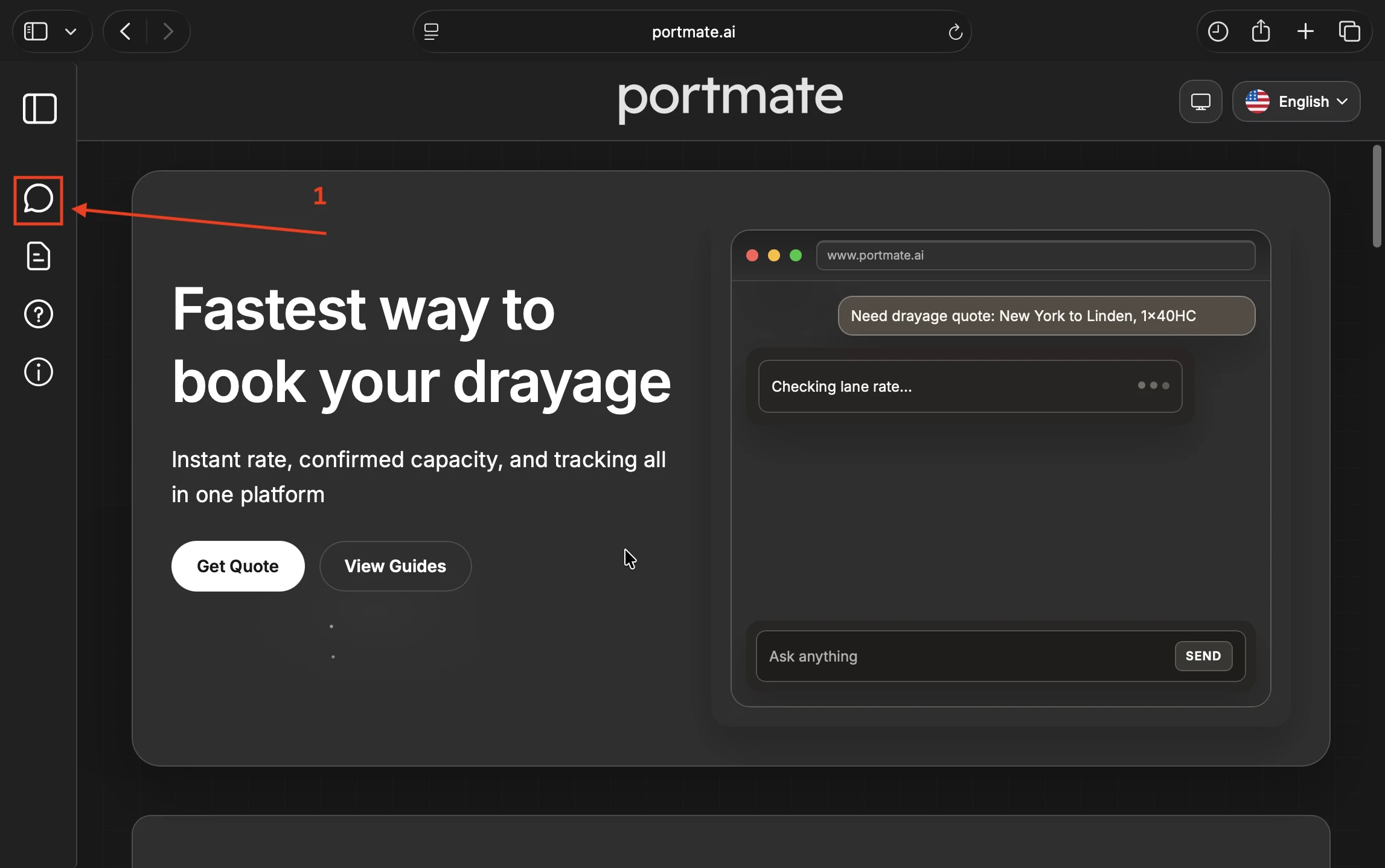
- Select the message icon in the navigation menu.
- Type your drayage-related question into the message box.
- Send the question.
You can start with a simple question first. Portmate can use recent conversation context for follow-up questions, so you do not have to repeat the full topic every time.
Step 2: Ask in natural language
You do not need to know Portmate's internal terminology. Ask the question the same way you would ask an operations teammate.
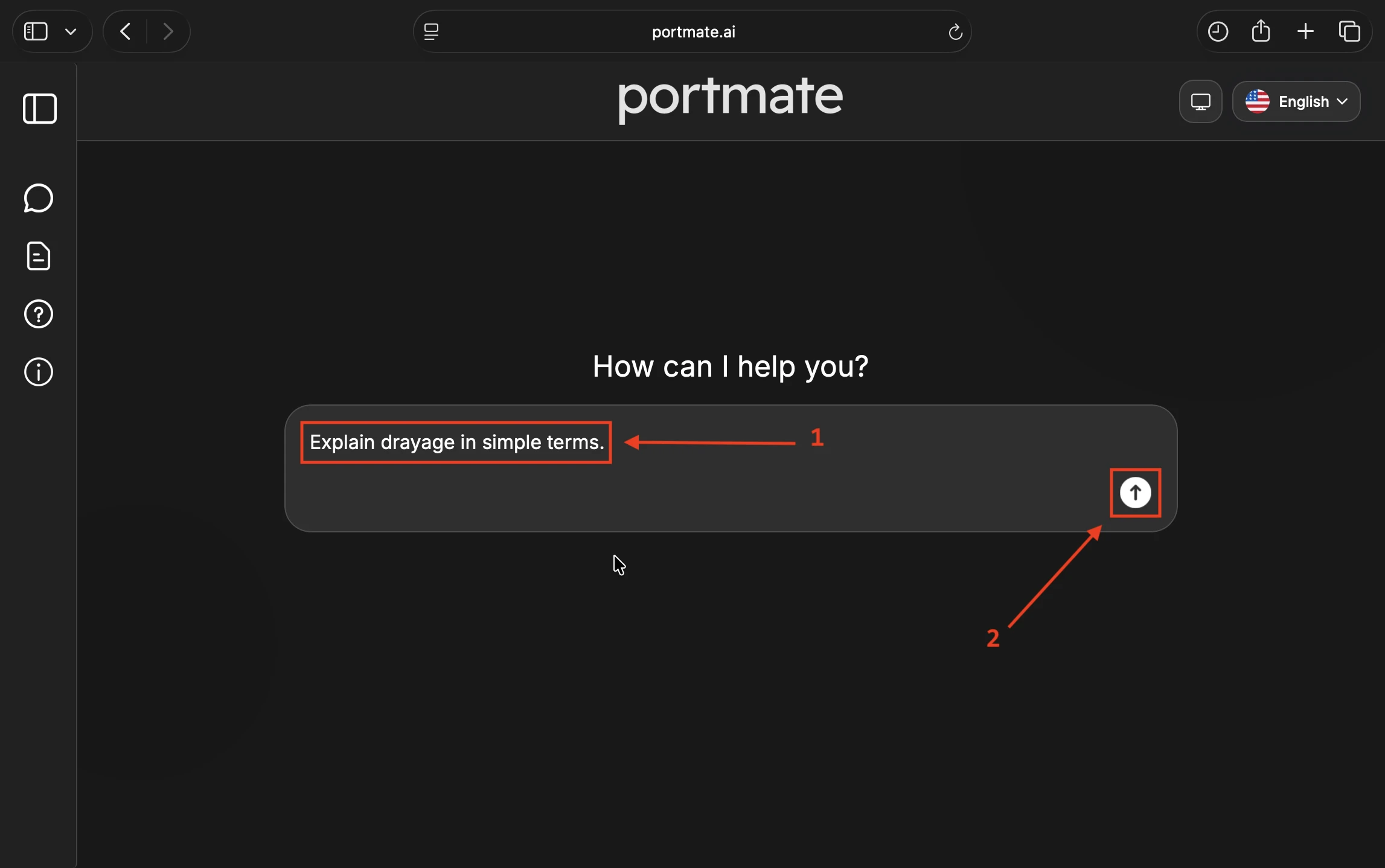
Example prompts:
- "Explain drayage in simple terms."
- "What are the common container types for drayage?"
- "When does a shipment need a triaxle chassis?"
- "What is the difference between storage and detention?"
- "How does Portmate choose the terminal for a quote?"
- "What do I need before requesting a quote?"
Portmate can return a concise explanation, practical examples, and source links when the answer comes from help articles.
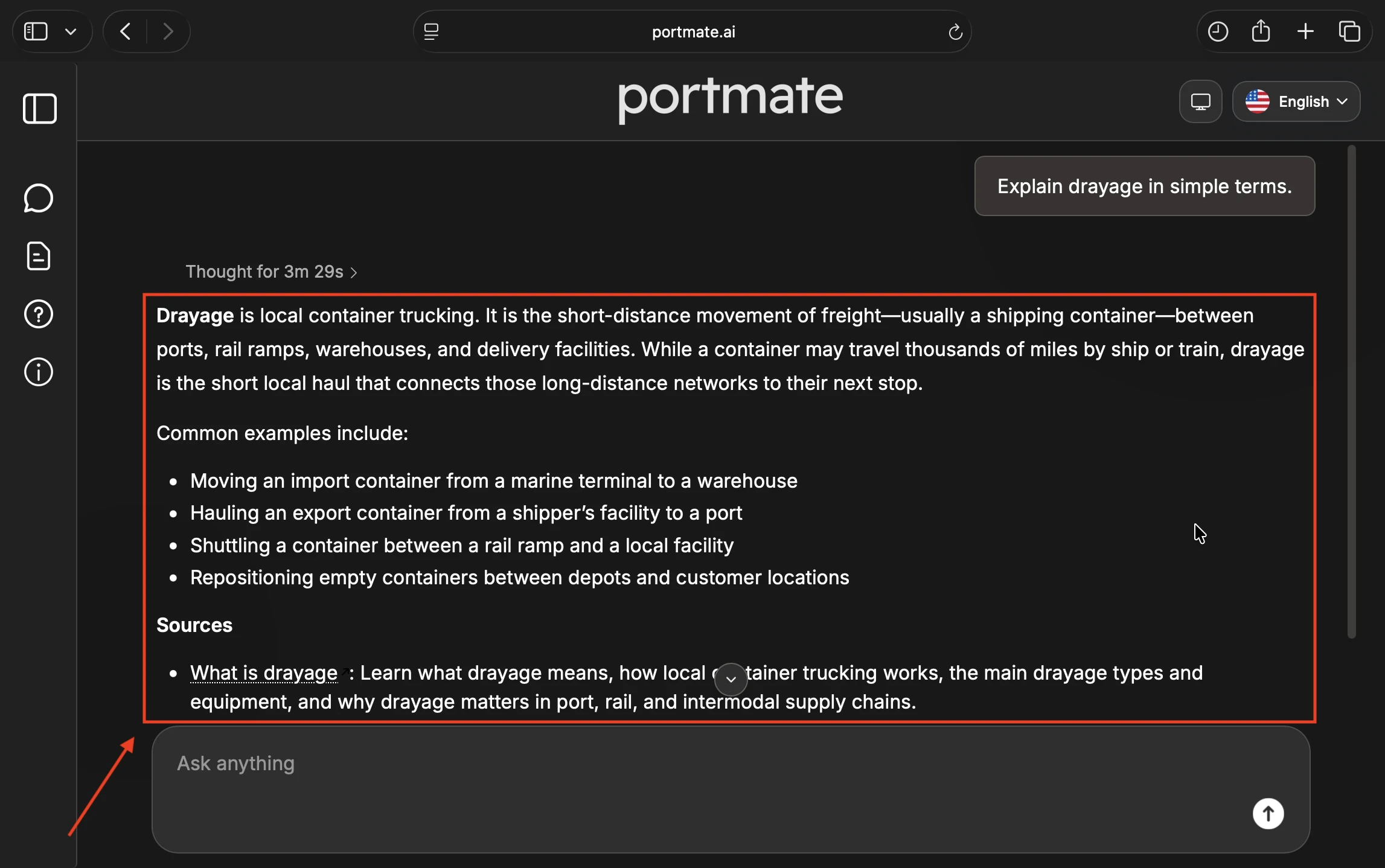
For container equipment details, the standard container types guide and container chassis guide are useful references.
Step 3: Add context when the question is specific
For operational questions, include the details that affect the answer.
Useful details
| Detail | Why it helps |
|---|---|
| Terminal metro | Accessorials, routes, and available support can vary by terminal metro |
| Facility ZIP | Lane checks and closest-terminal questions need a facility location |
| Container type | Weight, chassis, and equipment assumptions depend on the container |
| Cargo weight | Overweight checks need net cargo weight |
| Charge name | Accessorial lookups are clearer when you name the charge you care about |
| Goal | Say whether you want an explanation, a supported limit, a quote, or a booking |
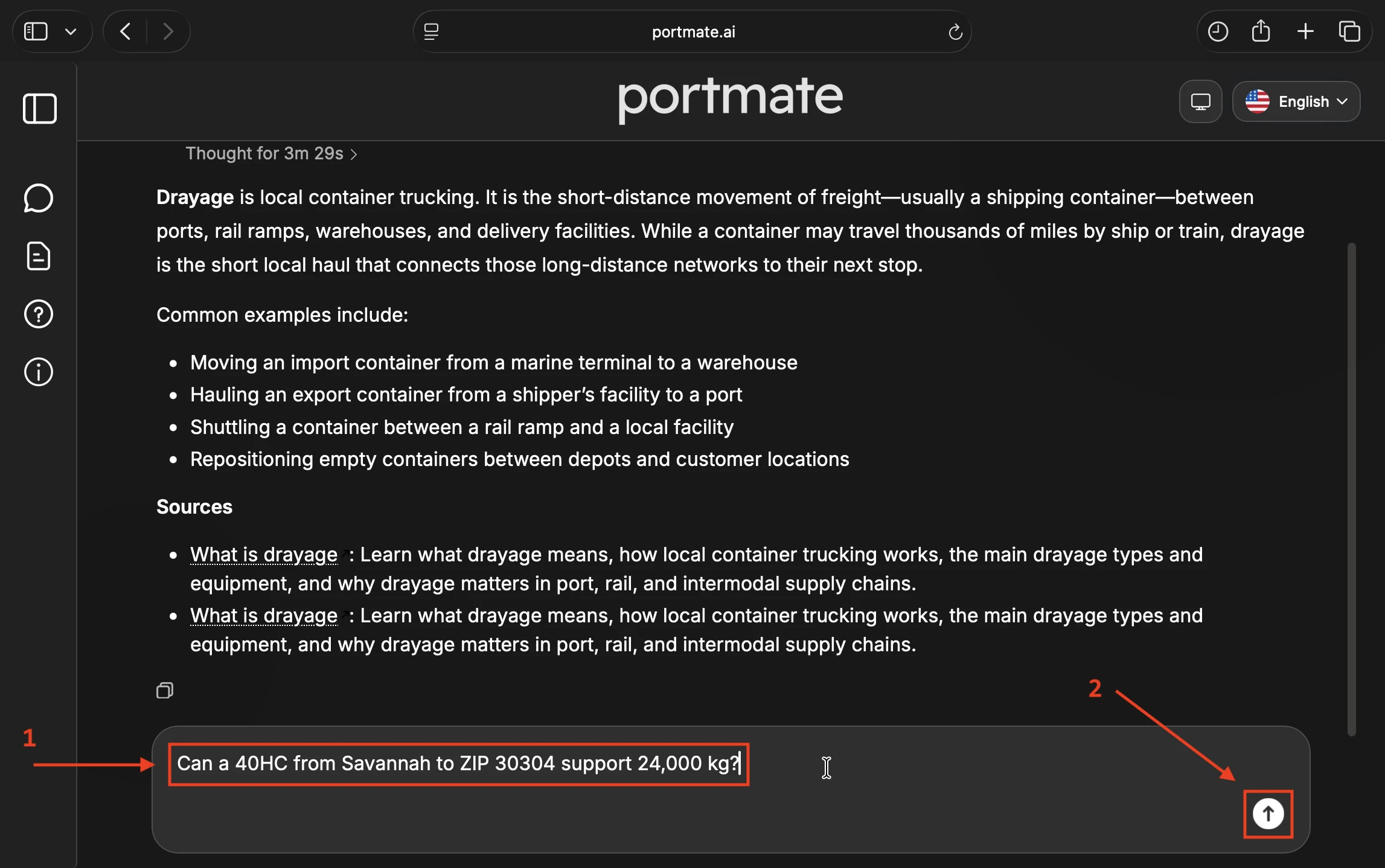
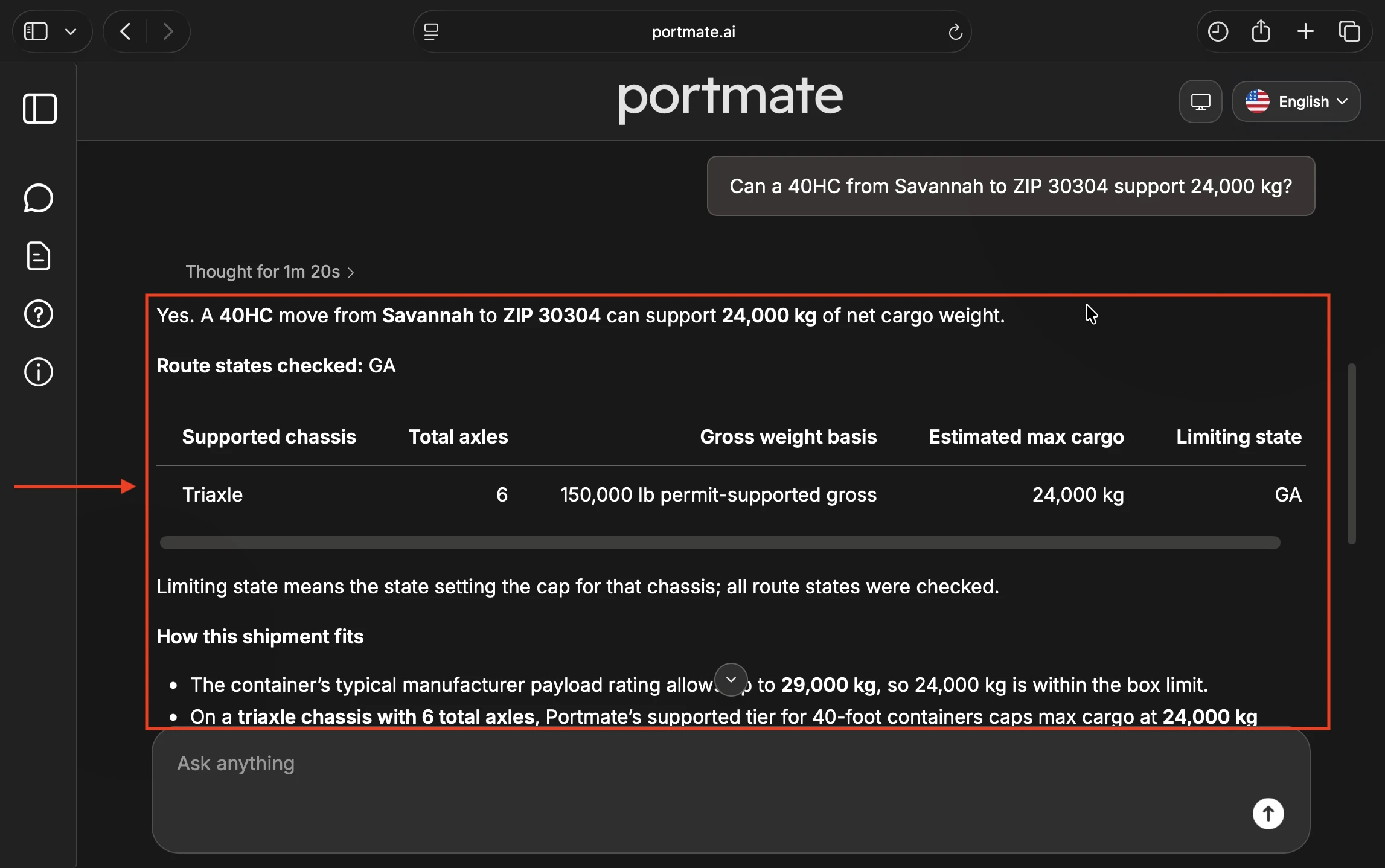
For example, "Can a 40HC from Savannah to ZIP 30304 support 24,000 kg?" is more useful than "Is this overweight?" because Portmate has the terminal, facility, container type, and cargo weight.
Step 4: Review the answer and sources
For article-grounded answers, Portmate can include a short Sources section. The source links point to relevant Portmate help articles or sections that support the answer.
For operational checks, the answer may also include supporting details such as the route states checked, chassis tier, gross weight basis, estimated maximum cargo, or limiting state.
Use those sources when you want to:
- Read the full guide behind the answer
- Share the reference with a teammate
- Compare related instructions before quoting or booking
- Check whether the answer is general guidance or tied to a specific workflow
If Portmate does not find enough matching article context, ask the question another way or include more detail about the shipment, terminal, equipment, or workflow.
Move from an answer to an action
Some questions are informational. Others are really requests to do something. Portmate can route those differently.
When you need a quote
If you are ready for pricing, ask Portmate for an instant drayage quote. Include the terminal, facility, container type, commodity, and net cargo weight.
Quote-ready prompt:
"Quote a 40HC from Savannah to Atlanta, GA for plastic pellets, 18,000 kg."
Portmate may ask you to sign in before generating the quote.
When you need accessorial information
If your question is about extra charges, ask for the terminal metro and charge type. You can also use the full accessorials table.
Accessorial prompt:
"What are the current accessorials in New York?"
For a full terminal table, use portmate.ai/accessorials.
When you need weight support
If your question is about overweight cargo, include the terminal, facility, container type, and net cargo weight when you have it.
Weight-support prompt:
"Can Portmate support 24,000 kg from Savannah to ZIP 30304 in a 40HC?"
For the full lane workflow, read How to check overweight limits for a lane.
When you need the closest terminal
If you are not sure which terminal to use, give Portmate the facility ZIP code or city/state.
Terminal prompt:
"Which Portmate terminal is closest to ZIP 30304?"
For more detail, read How to find the closest terminal to your facility.
Get better responses
Portmate can answer follow-up questions, but the answer improves when the question is clear about the topic and the intended next step.
Tips for accurate answers
- Ask one main question at a time.
- Include the terminal metro when asking about accessorials or terminal rules.
- Include a ZIP code or city/state when asking about a facility or lane.
- Use net cargo weight when asking about overweight support.
- Say whether you want a general explanation, an operational check, a quote, or a booking step.
- Review the Sources section when Portmate provides one.
- Ask a follow-up if the answer is too broad or does not match the situation.
What Portmate may not answer from articles
Portmate's article-grounded answers depend on available Portmate help content. If the question is outside current help coverage, Portmate may not have a sourced answer.
For shipment-specific exceptions, unsupported equipment, unusual routing, or business questions that need human review, contact Portmate support using the contact guide.
What you can do next
After getting a drayage-related answer, you can:
- Ask a follow-up question in the same conversation
- Read the linked source article
- Request an instant quote when you have shipment details
- Check accessorials or lane weight support
- Book the shipment after a quote is ready
Portmate is most useful when you move naturally from learning, to checking operational constraints, to quoting, and then to booking.