

How to get instant drayage quote
Portmate lets you generate instant drayage quotes for full-container-load moves from a port and rail terminal to a consignee/shipper location. Quotes are returned in seconds — amazingly fast — no manual emails, no spreadsheets, no delays.
Drayage refers to the local inland movement of an ocean container, for FCL (full-container-load), typically from a port/rail terminal to the importer’s facility (or from the shipper to the terminal for exports).
Before you begin
You’ll need:
- The terminal where your container is located (e.g., Houston, Savannah, Long Beach)
- The facility for the delivery location: ZIP or just city + state (e.g., Pasadena, TX)
- The container type (20GP, 40GP, 40HC, 20RF, 40RF)
- The commodity (short description, e.g., “Frozen beef”)
- The cargo weight in kg
Tip: If you only know and provide the city and state for the facility, no worries, Portmate will automatically determine the closest ZIP code for your convenience.
Step 1: Open the chat
- Visit portmate.ai in your browser.
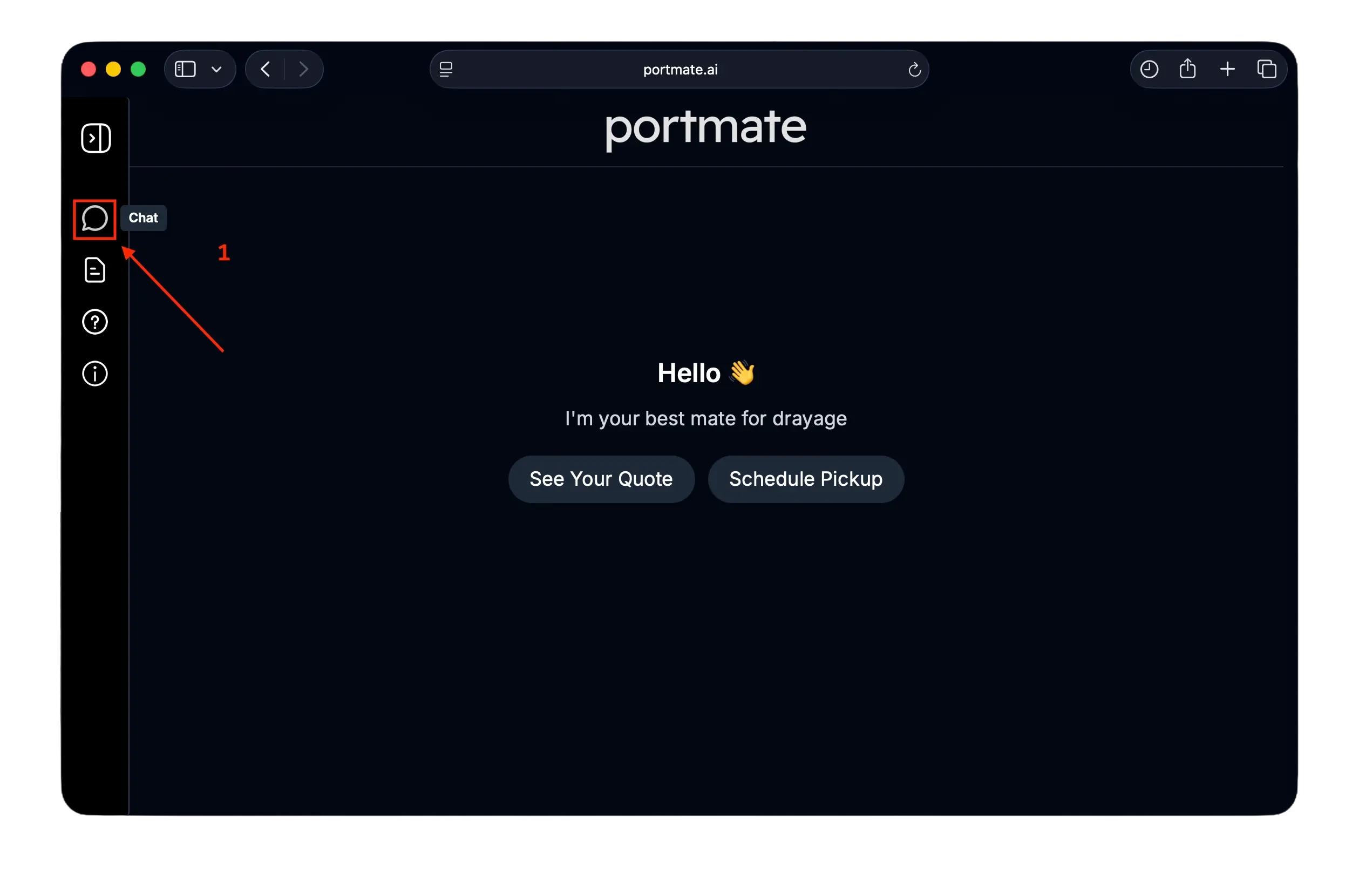
- Click the chat icon on the left navigation bar to begin.
Step 2: Ask Portmate for a quote
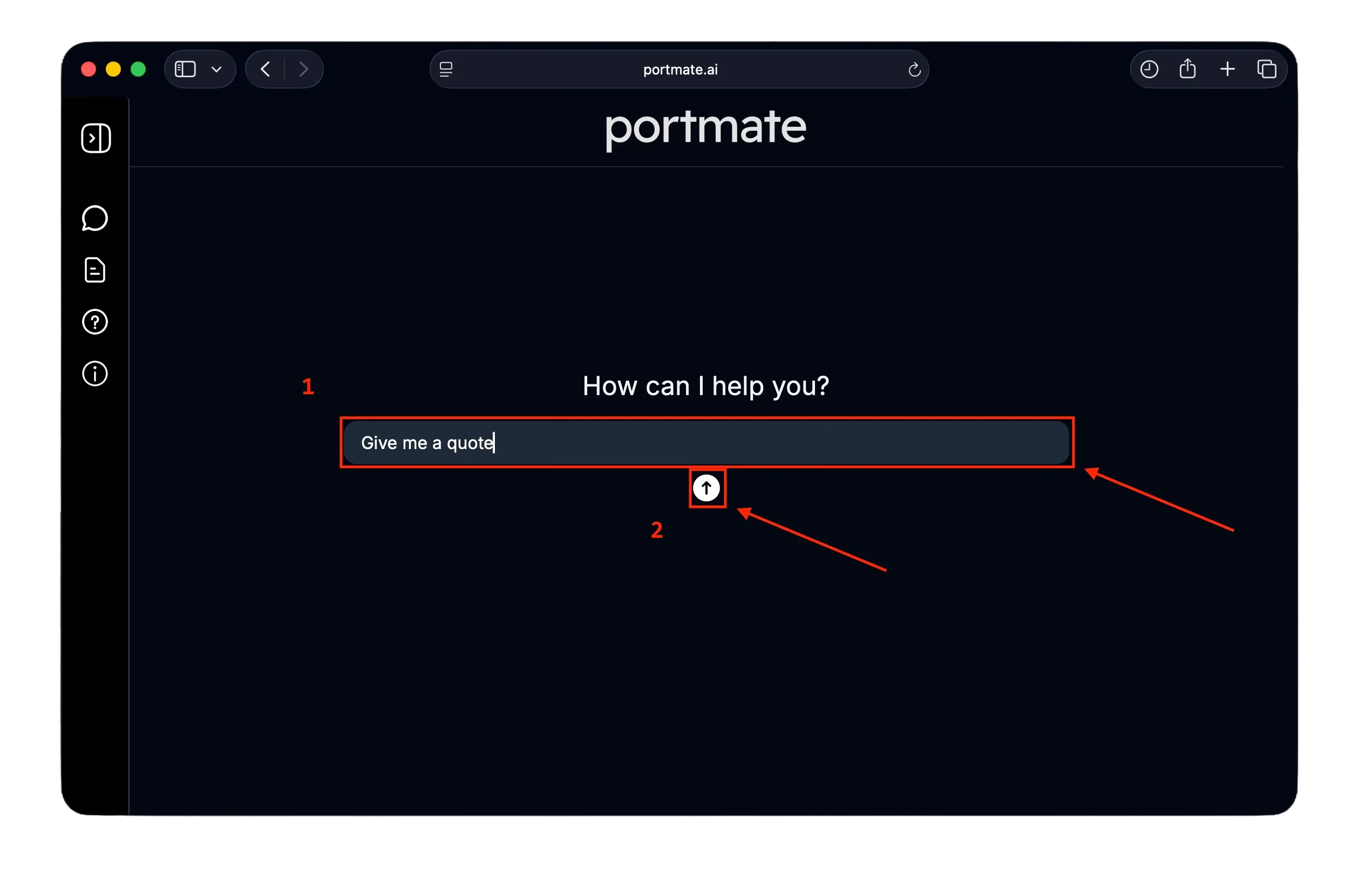
You can start with a natural question like:
- “Give me a quote”
- “Quote from Savannah to Atlanta, 20GP”
- “Need to quote Chicago to 60174 for a 40HC”
Step 3: Enter the necessary details
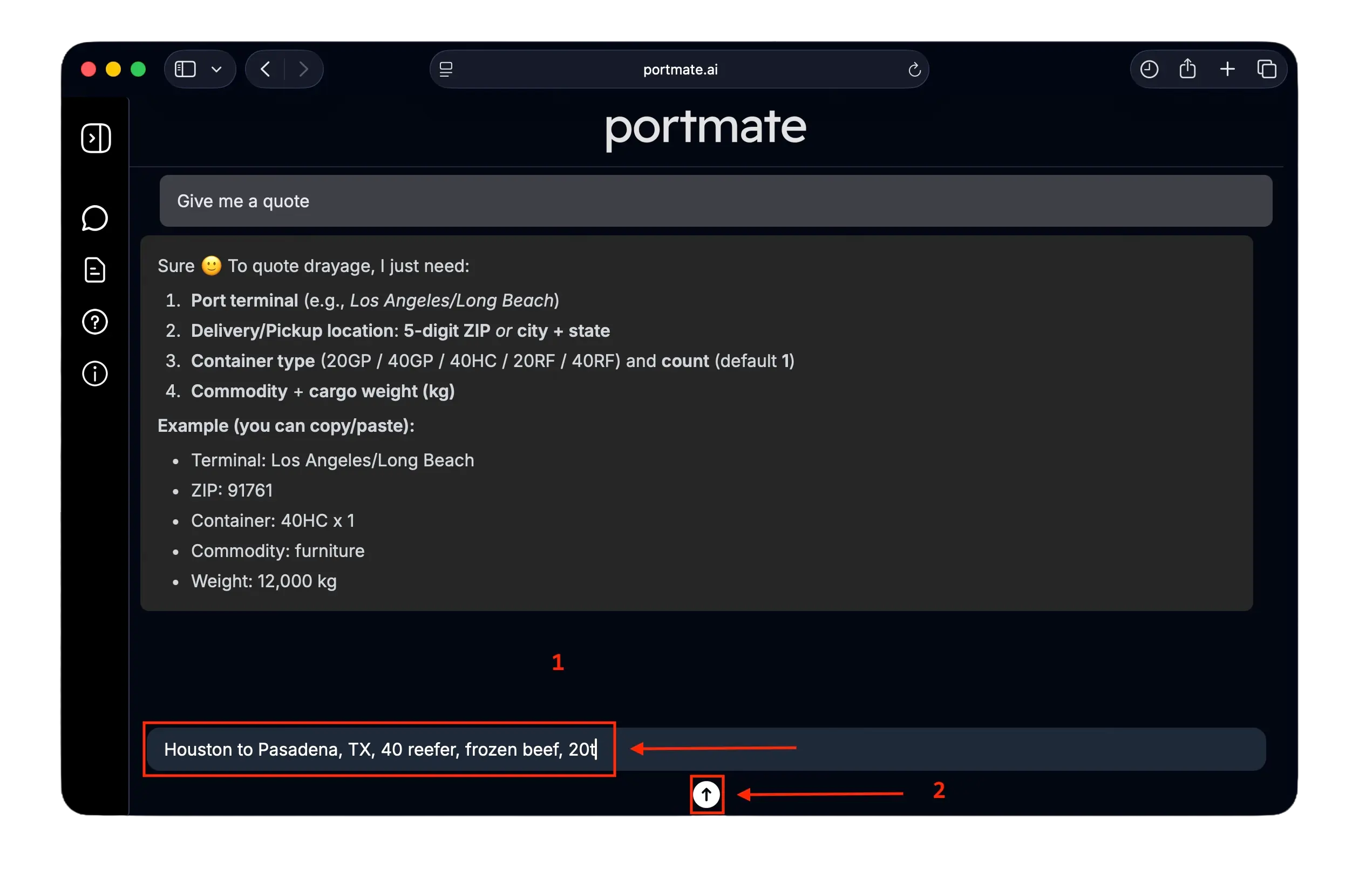
Portmate will request the following details:
| Required info | Description | Example |
|---|---|---|
| Terminal | Port or rail ramp where the container is located | Houston |
| Facility | Delivery ZIP or city + state (consignee for imports or shipper for exports) | Pasadena, TX |
| Container type | Container size & type | 40 reefer |
| Commodity | Cargo description (e.g., “Plastic pellets”, “Frozen beef”) | Frozen beef |
| Cargo weight | Net cargo weight in kilograms | 20t |
Once everything is provided, your quote is generated instantly.
Step 4: We generate your instant quote
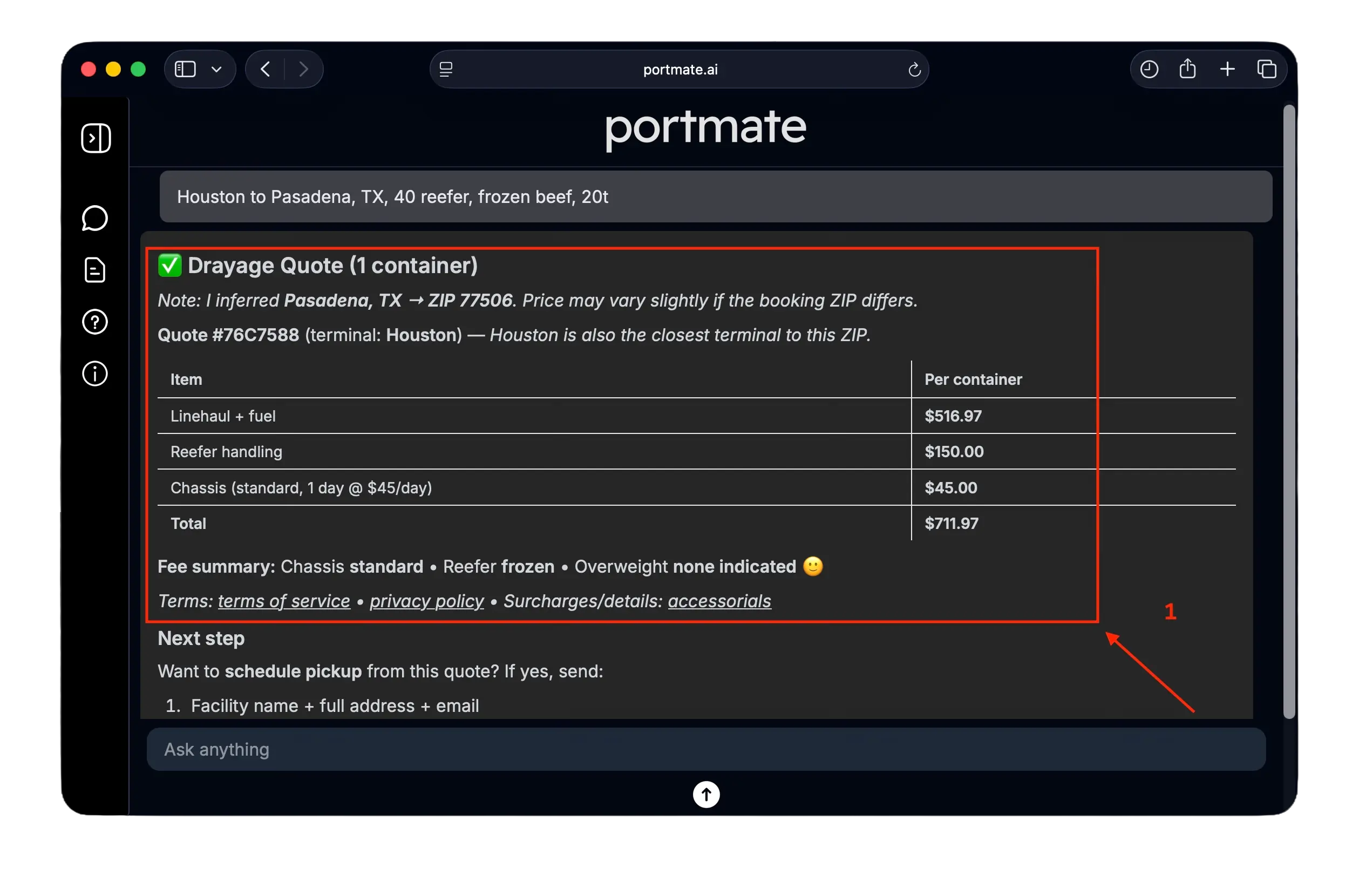
Your quote appears instantly with:
- Base rate
- Fuel
- Accessorials
- Total
- Quote number
For instant quotes you need to be signed in, here are guides on how to sign in or also how to sign up if it's your first time.
Step 5: Save, resend, or retrieve previous quotes
Now you can save and share the quote with your team or retrieve it later.
Email the quote
Just ask:
- “Email this quote to me”
- “Send this quote to operations@company.com”
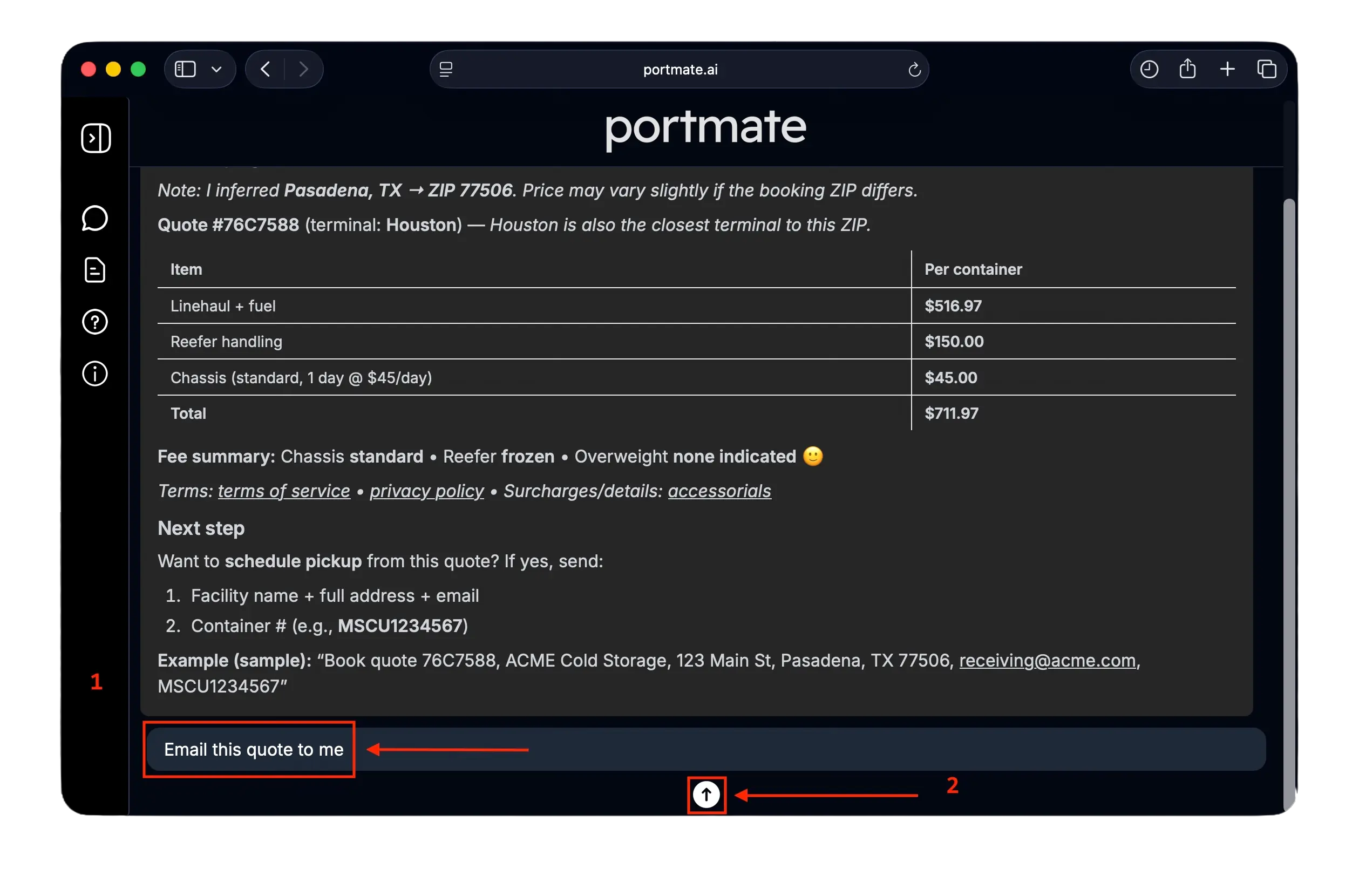
We will instantly send you the quote details by email:
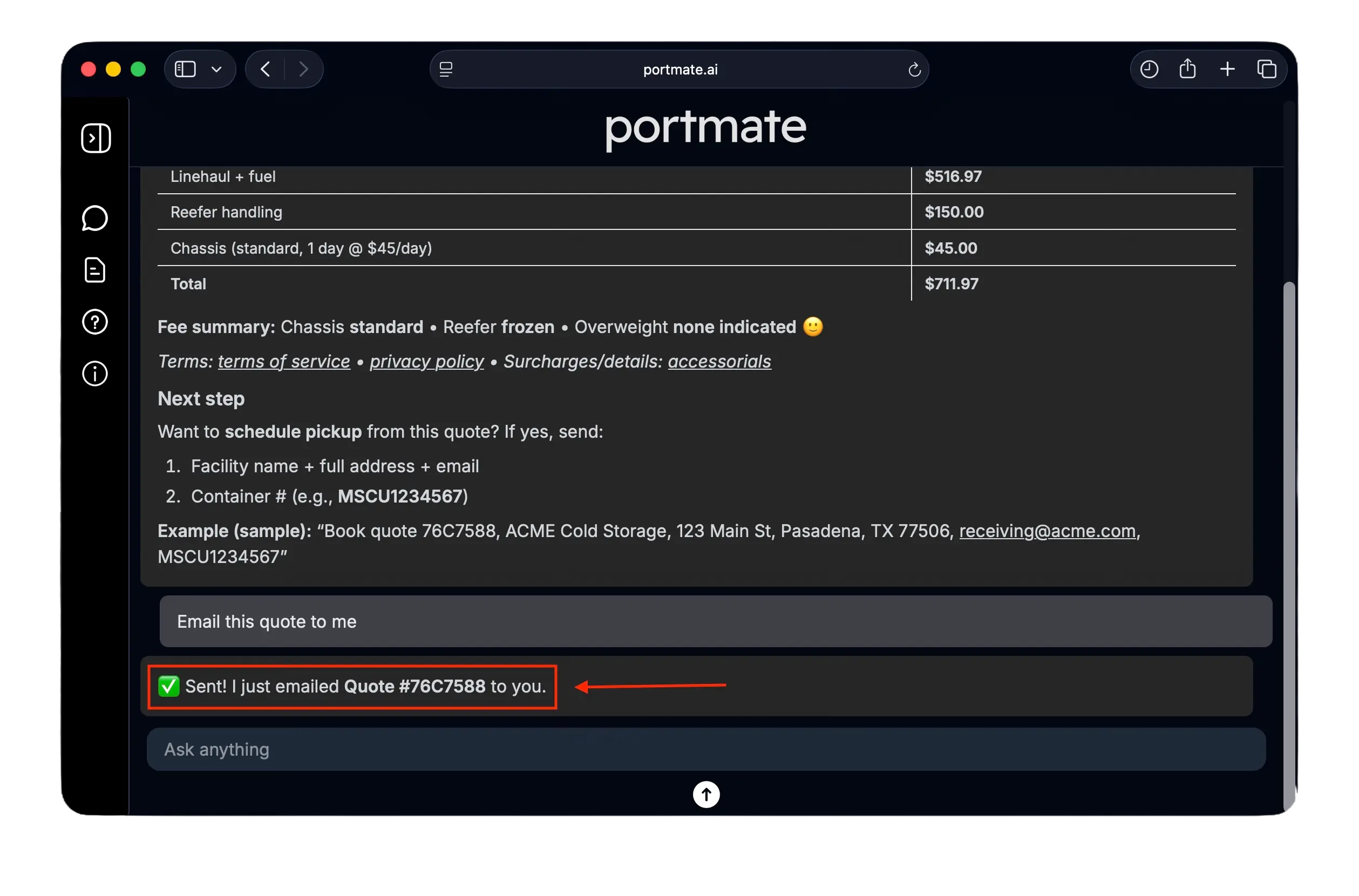
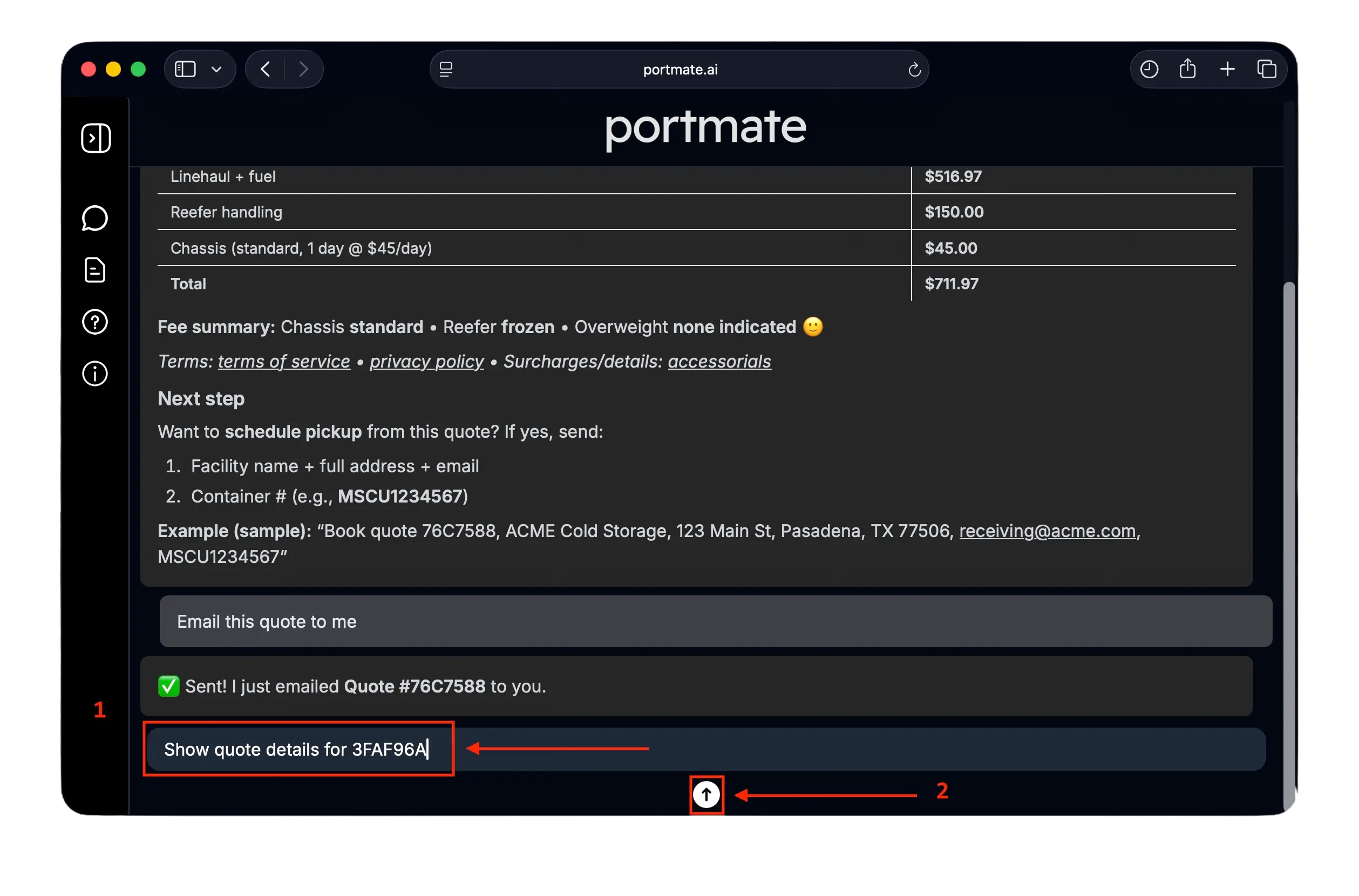
Retrieve older quotes
Just provide the quote ID, example:
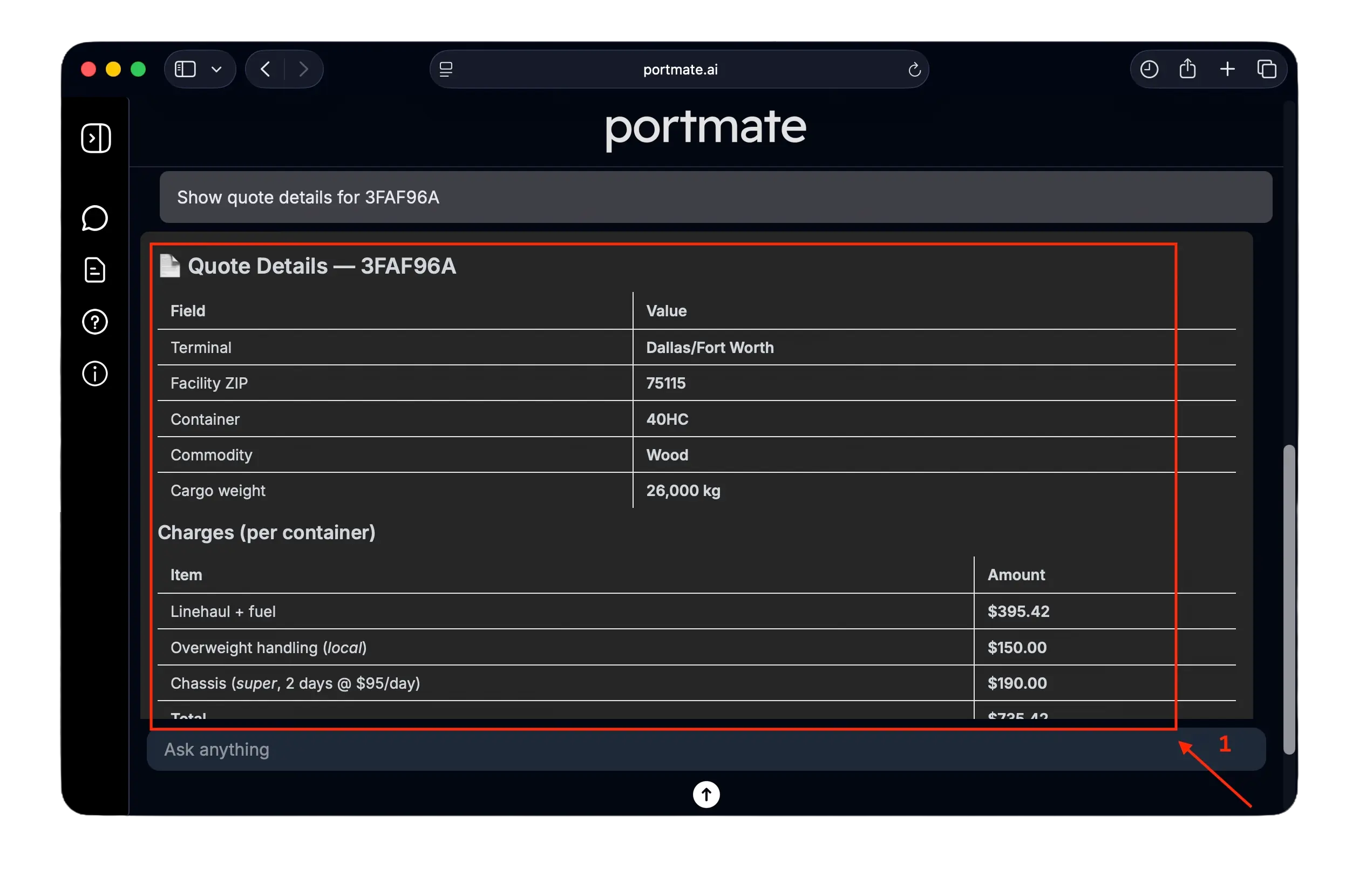
- “Show quote details for ABC1234”
You will momentarily get the details of the quote you requested:
What you can do next
After getting your quote, you can:
- Compare other rates instantly
- Send quote copies by email and share it with your team
- Save and retrieve quotes anytime
- Prepare and start bookings in seconds
- Generate unlimited instant quotes with no manual effort
Portmate gives importers, forwarders, and trucking teams fast, reliable, and fully automated drayage pricing — eliminating waiting time, manual data entry, and back-and-forth emails.