

How to check overweight limits for a lane
Portmate can help you check overweight limits and the maximum supported net cargo weight for a drayage lane before you request pricing or book a shipment. You can ask what weight a lane can support or ask whether a specific cargo weight is supported for a terminal, facility, and container type.
This is useful when cargo may require overweight handling, a triaxle or super chassis, permit review, or manual review before the move can be confirmed.
Before you begin
To check lane weight support, you’ll need:
- The terminal or metro for the move, such as
Savannah,Houston, orChicago - The facility location, using a ZIP code or city with state
- The container type, such as
20GP,40GP,40HC,20RF, or40RF - Optional: the net cargo weight if you want to check a specific load
Important: Use the net cargo or payload weight only. Do not include the container tare, chassis tare, truck tare, VGM, or loaded-container gross weight.
Tip: If you do not provide a facility location, Portmate may assume an intrastate move within the selected metro. Provide the facility ZIP code or city/state for route-specific state checks.
How Portmate checks drayage overweight limits
Portmate evaluates the lane using:
- The route states between the terminal and facility
- Public state overweight and permit weight rules available for those route states
- Supported chassis tiers, including standard, triaxle, and super chassis options when applicable
- Typical tractor, chassis, and container tare assumptions, including extra tare for reefer and non-operating reefer containers
- Typical manufacturer payload ratings for the selected container size
The maximum supported cargo weight for the lane is based on the lowest applicable limit. A route may be limited by state gross weight rules, container payload, or Portmate-supported chassis tiers.
Step 1: Open the chat
- Visit portmate.ai in your browser.
- Click the chat icon on the left navigation bar to begin.
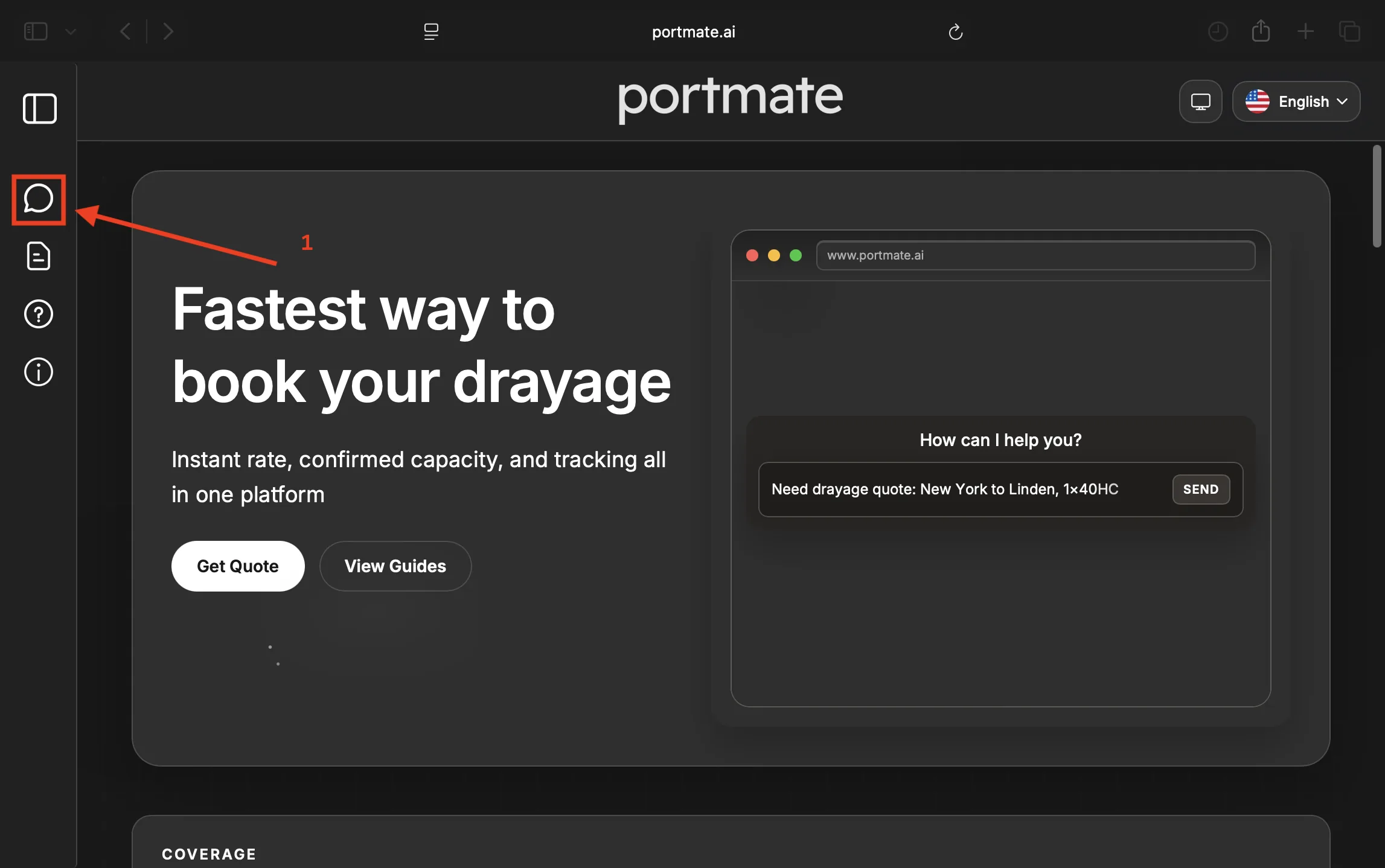
You can ask a weight-support question without first creating a quote. If you later want pricing, you can ask Portmate to create an instant drayage quote.
Step 2: Ask for the maximum supported weight for the lane
Use this when you do not know the cargo weight yet and want to understand the lane’s upper limit.
Example prompts
- “What is the max cargo weight Portmate can support from Savannah to facility ZIP 30304 for a 40HC?”
- “What is the maximum payload you can support from Houston to facility ZIP 77506 for a 20GP?”
- “What is the maximum supported weight from Savannah to facility ZIP 30304 with a 40HC?”
- “Show me the supported chassis options from Chicago to facility ZIP 68102 with a 40GP.”
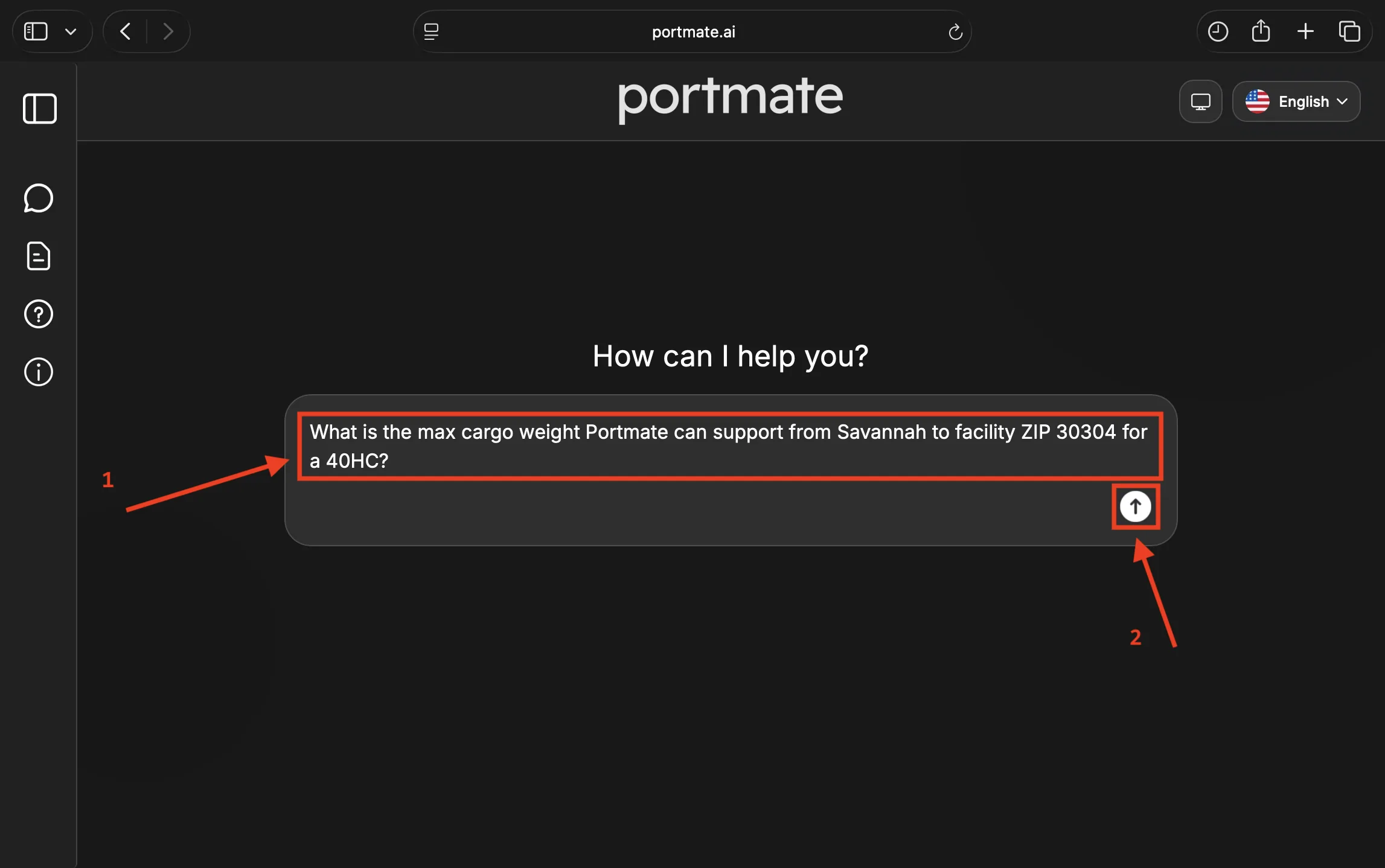
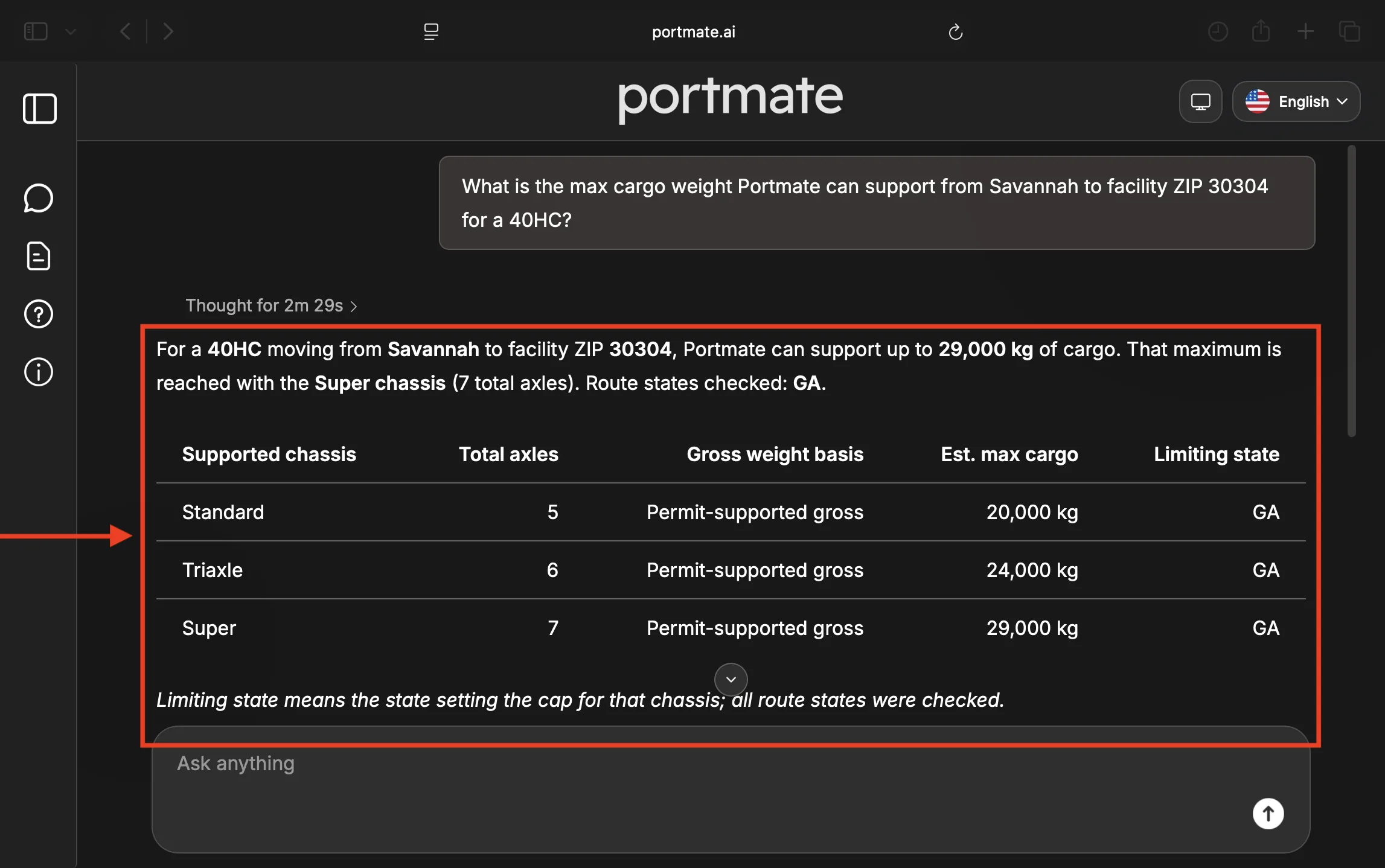
Portmate will return the route states checked and a table of supported chassis options.
Step 3: Check whether a specific overweight cargo weight is supported
Use this when you already know the cargo weight and want to confirm whether the lane can support it.
Example prompts
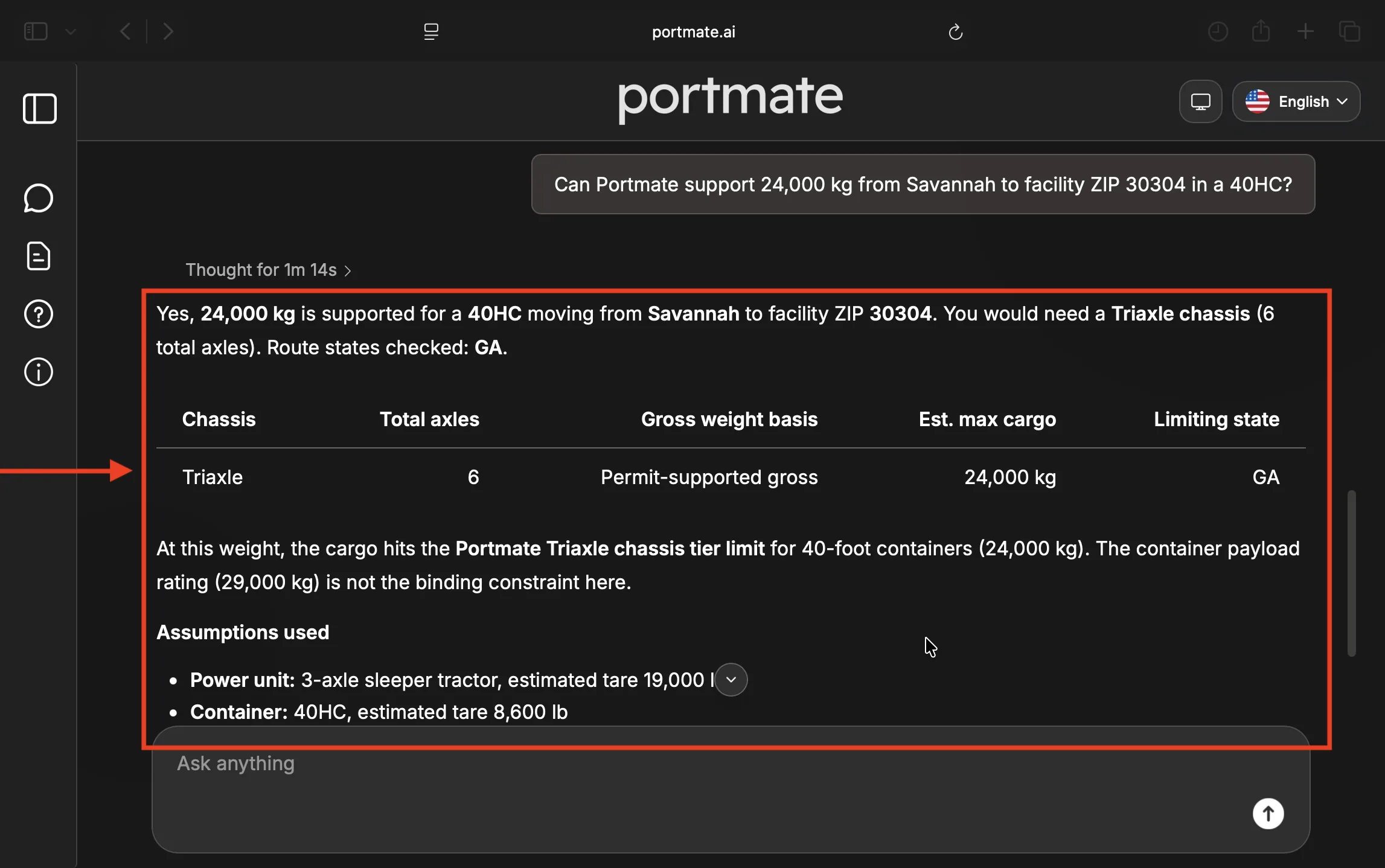
- “Can Portmate support 24,000 kg from Savannah to facility ZIP 30304 in a 40HC?”
- “Can you move 48,000 lb of cargo from Houston to facility ZIP 75201 in a 40GP?”
- “Is 22 tons supported from Chicago to 60174 for a 20GP?”
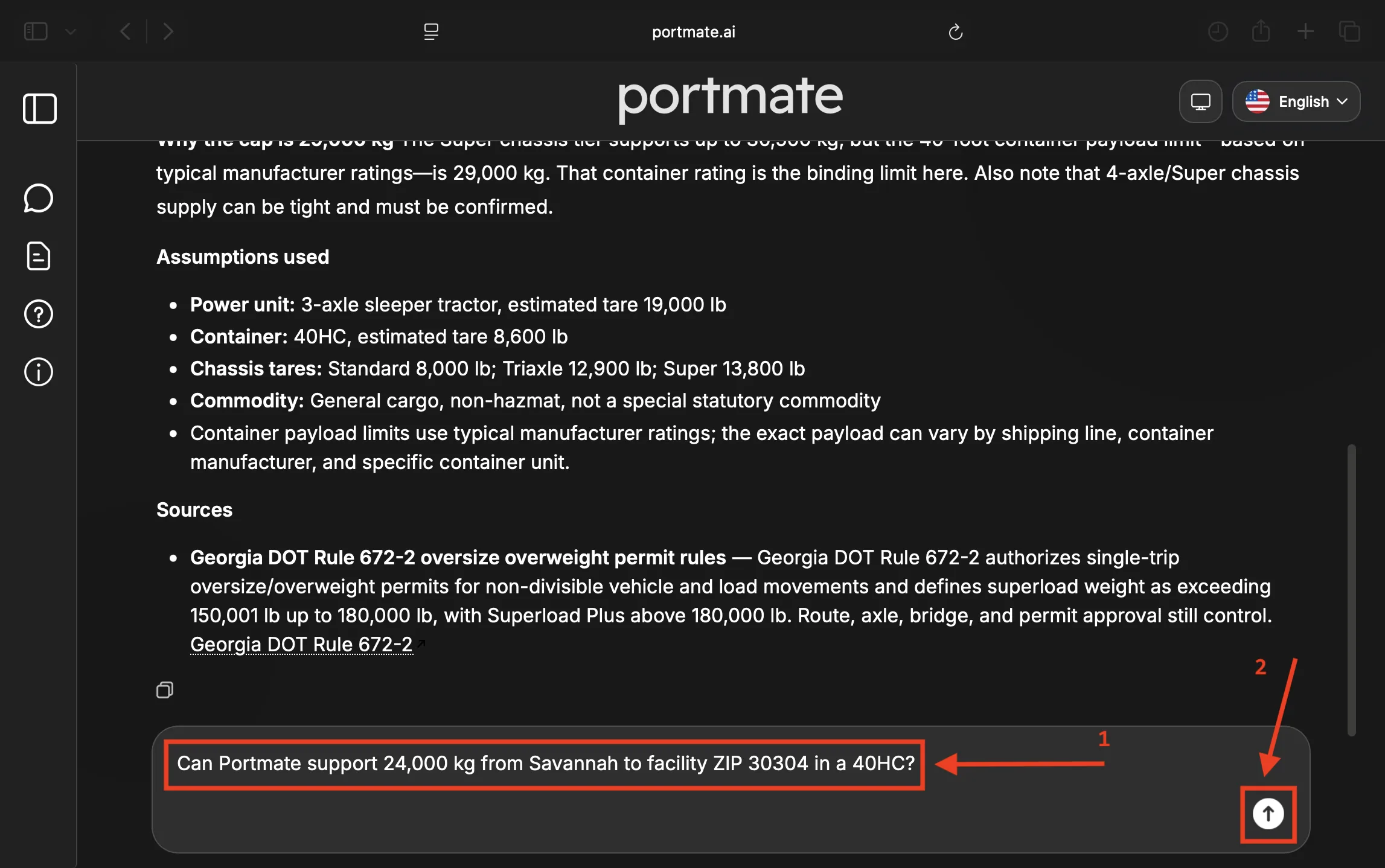
Portmate will evaluate the requested net cargo weight against the lane, container type, overweight limits, and supported chassis tier.
Step 4: Review the result
The answer may include:
- Route states checked, such as
GAorTX, OK - Supported chassis options, including standard, triaxle, or super chassis
- Total axles, shown as the full tractor-plus-chassis axle count
- Gross weight basis used for the lane check
- Estimated max cargo for each supported chassis option
- Limiting state when one state sets the lowest route limit
- Permit and manual review notes when the load needs extra review
- Assumptions for tractor tare, chassis tare, container tare, container payload, and commodity
If the requested cargo exceeds the supported limit, Portmate will explain that the move needs manual review. If the cargo exceeds the container payload rating, Portmate may advise splitting the freight, reducing the load, or using approved alternate equipment.
How overweight limits relate to instant quote pricing
Lane weight support and quote pricing are related, but they are not the same thing.
- A lane weight advisory checks what the lane and supported equipment can handle.
- An instant quote calculates pricing for the cargo weight you provide.
- Overweight handling may appear as a separate quote charge when the cargo weight requires overweight equipment or handling.
If you ask for pricing and weight support together, Portmate may show the quote and the lane weight advisory as separate sections so the maximum supported weight is not confused with the quoted cargo weight.
Tips for accurate results
- Provide the facility ZIP code or city with state whenever possible.
- Use net cargo weight, not loaded-container gross weight.
- Include the container type because payload and chassis support can vary by container.
- Mention whether you want the maximum supported weight or whether a specific weight can be supported.
- Treat the result as an advisory. Final support can still depend on equipment availability, actual tare, axle spacing, tire ratings, bridge restrictions, local road approval, route approval, and permit approval.
What you can do next
After checking overweight limits, you can:
- Ask Portmate for an instant drayage quote
- Compare a different container type or facility location
- Ask whether a lower cargo weight would avoid overweight handling
- Request manual review when the cargo exceeds the supported lane or container limit