
How to find the closest terminal to your facility
When planning a drayage move, choosing the right terminal matters. The closest terminal often means shorter mileage, much lower cost, and faster transit — but US port geography is big and can be confusing if you don’t work with it every day. Portmate lets you instantly find the closest terminals to any facility in the US — directly in chat — without needing to know every port, ramp, or terminal by heart.
Before you begin
To find the closest terminals, you’ll need:
- A valid US facility ZIP code or just city with state
(consignee for imports or shipper for exports)
That’s it. No terminal codes, no maps, no guesswork.
Tip: During quote requests, you don’t need to know which port to choose in advance. Portmate will rank terminals for you automatically by proximity so you can seamlessly maximize efficiency.
Step 1: Open the chat
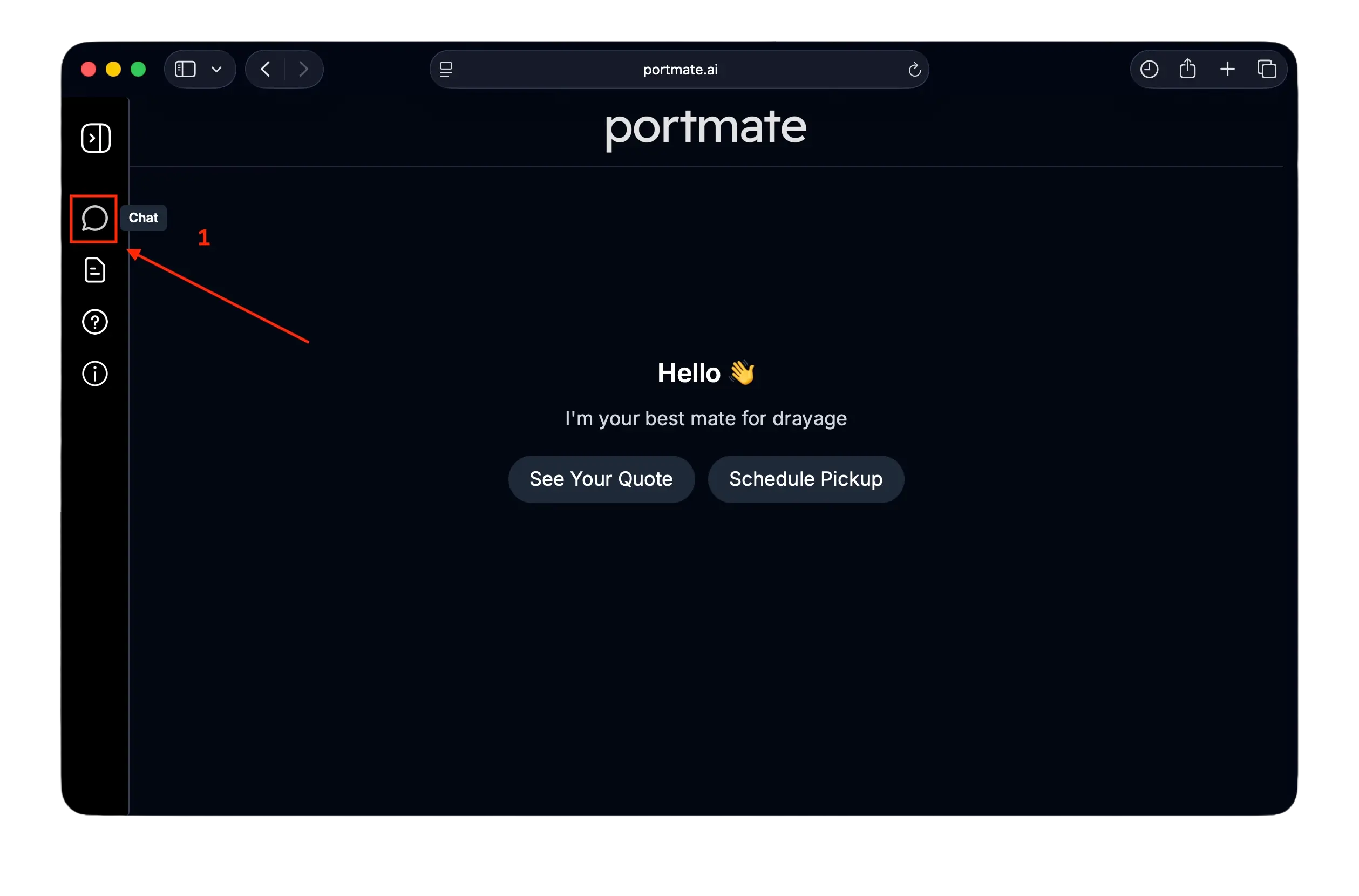
- Visit portmate.ai in your browser.
- Click the chat icon on the left navigation bar to begin.
You’ll need to be signed in to use terminal lookup. If you don’t have an account yet, you can see here about how to create your Portmate account.
Step 2: Ask Portmate to find the closest terminal
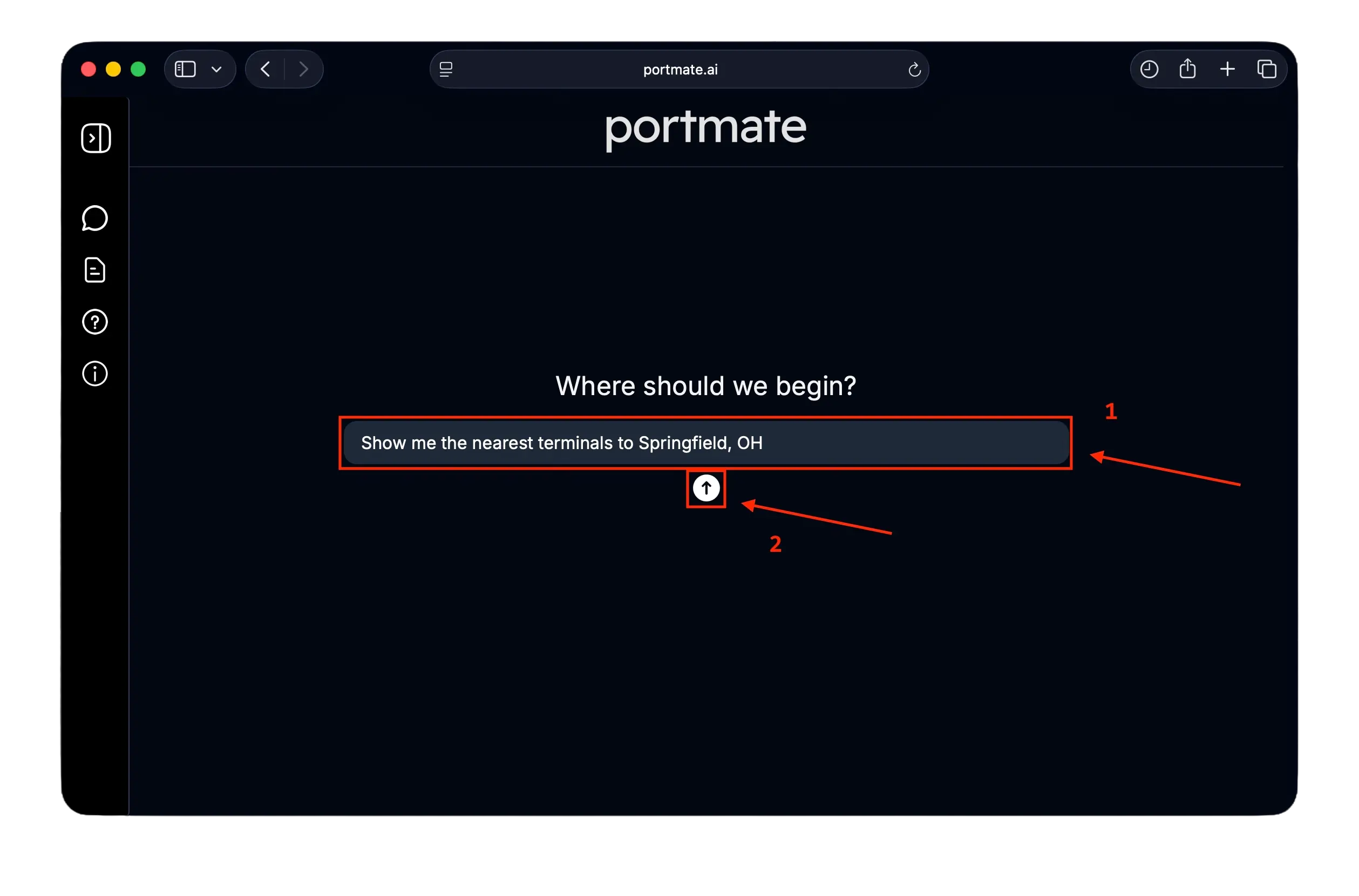
In the chat, simply ask Portmate to find the closest terminals to your facility.
Example prompts
- “Show me the nearest terminals to Springfield, OH”
- “Find the closest terminals to ZIP 83702”
- “What ports are closest to the facility in Boise, ID?”
By default, Portmate returns the top 3 closest terminals, ranked by distance.
Step 3: (Optional) Request more terminals
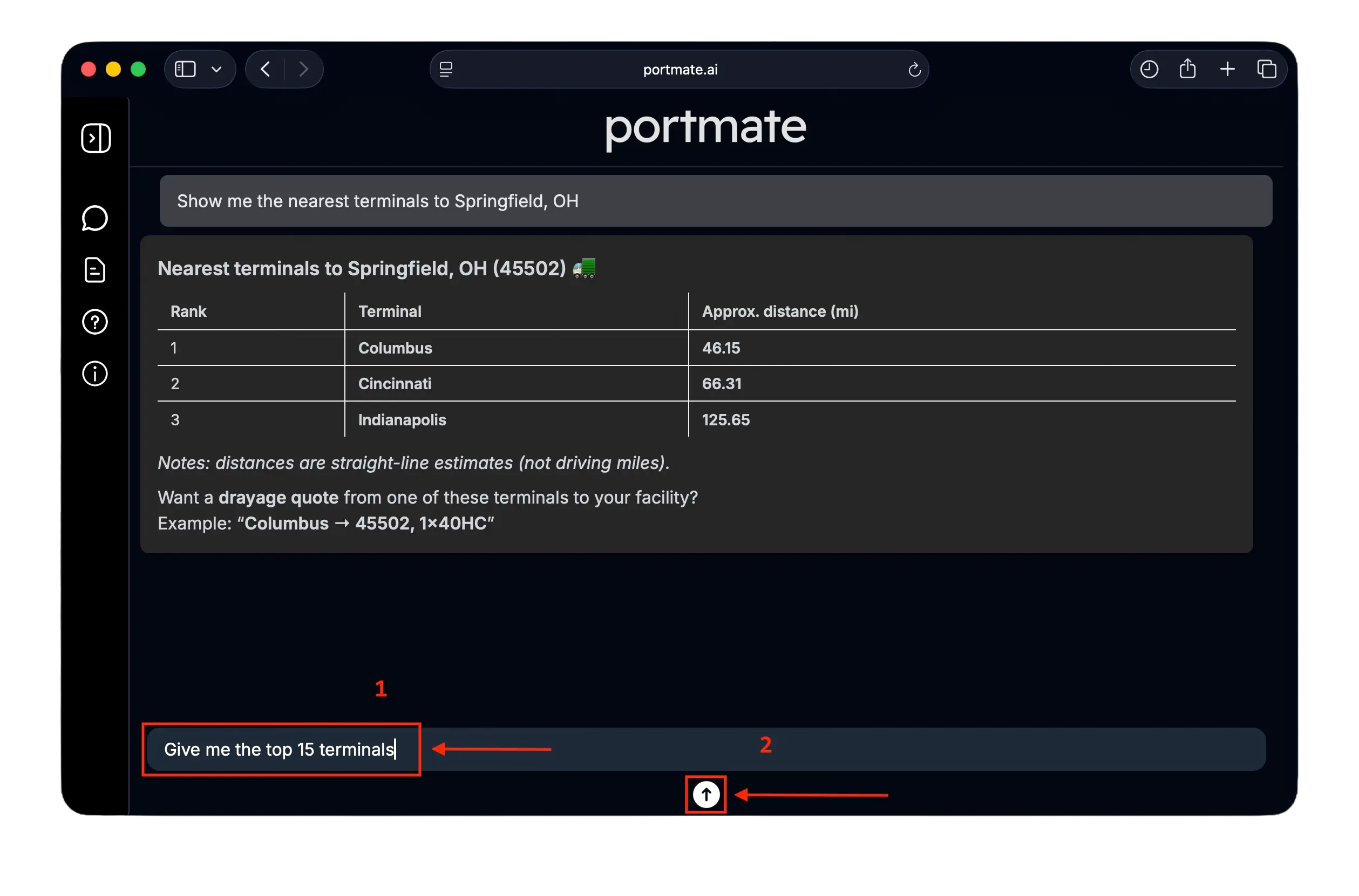
If you want to compare more options, you can ask for additional terminals.
Example
- “Give me the top 15 terminals”
- “Show me the top 5 closest terminals to ZIP 83702”
You can request anywhere from 1 to 25 terminals.
If you don’t specify a number, Portmate defaults to 3.
Step 4: Review the ranked terminal list
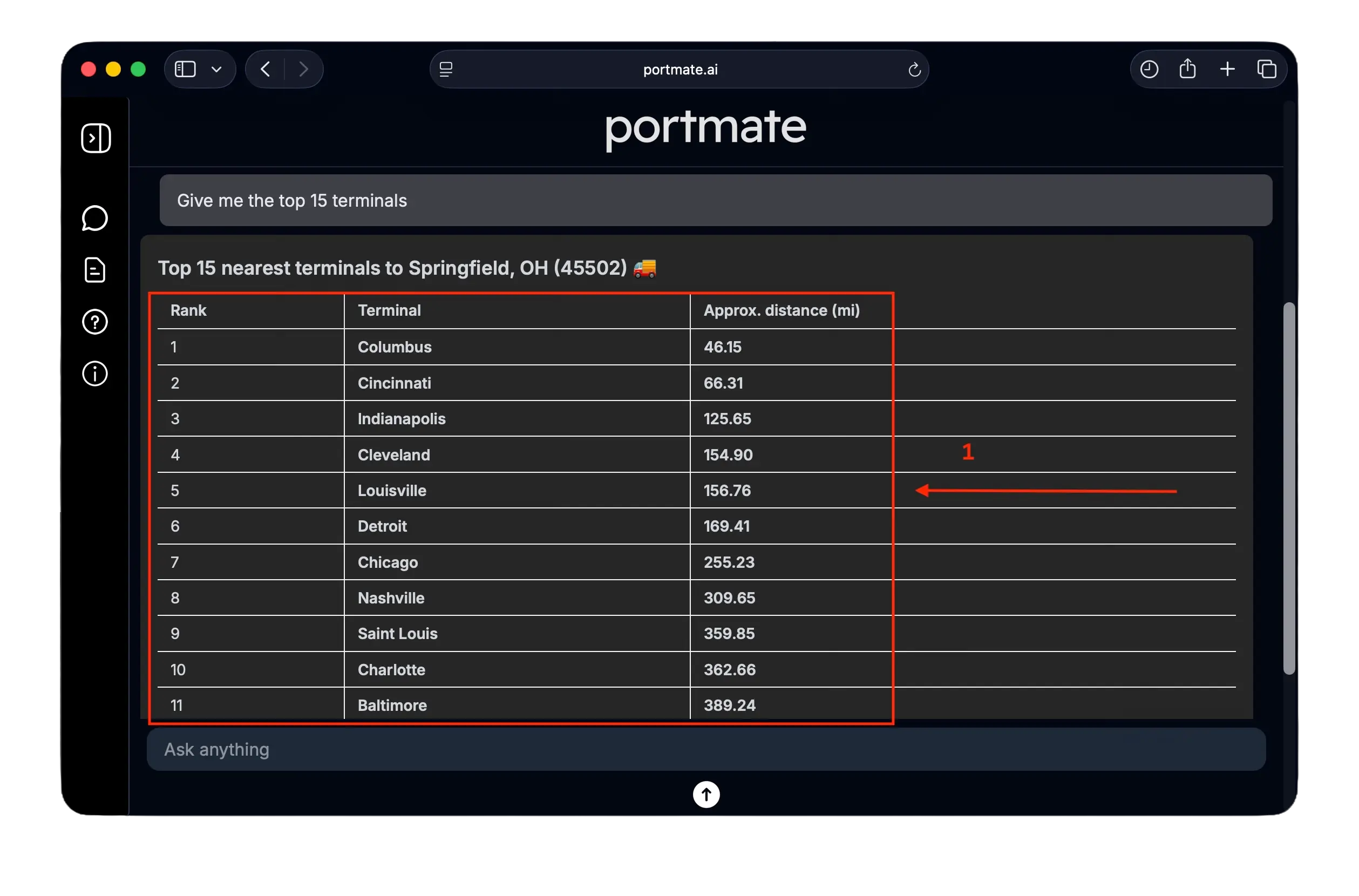
Portmate returns a ranked list of terminals, including the straight-line distance from your facility.
Example response
What this means
- Rank 1 is the closest terminal by geographic proximity
- Distances are straight-line (Haversine) miles
- This is used to quickly compare which ports are most efficient to consider
Important: Final drayage quotes use actual truck routing, not straight-line distance.
Why this is useful
Finding the closest terminal helps you:
- Avoid selecting a port that looks close on a map but is actually inefficient
- Reduce unnecessary drayage miles which directly affects your cost
- Compare alternative ports when capacity or pricing changes
- Make faster decisions without memorizing US port geography
This is especially helpful for:
- Importers shipping to inland distribution centers
- Forwarders working across multiple regions
- Teams new to US drayage and terminal networks
Automatic terminal validation during quoting
When you request an instant drayage quote, Portmate automatically:
- Checks whether the selected terminal is the closest practical terminal to your facility
- Compares it against nearby alternatives
- Advises you if a closer or more efficient terminal exists
This means you don’t need to manually double-check terminal proximity or US port geography when quoting.
Peace of mind: Even if you start with a different terminal in mind, Portmate ensures your quote is based on the most efficient terminal option whenever possible.
What you can do next
After finding the closest terminal, you can:
- Get an instant drayage quote for the most efficient port
- Compare pricing across multiple nearby terminals
- Turn the quote into a live booking in seconds
Portmate helps you go from facility ZIP → the best terminal → instant quote → confirmed booking, all in one flow, in just a few seconds — 24/7, regardless of time zone differences between teams (and, yes, even on Christmas 🎄).