

How to understand a notice
Paste the link to a public shipping notice into Portmate Chat and ask what it means for the work you have planned. A sentence is enough to start: I dispatch empty returns for a motor carrier. What changes for us, when does it start, and what should I check before sending a driver?
You can do this with a carrier advisory, a terminal gate announcement, or a railroad bulletin. Give Chat the link to the individual notice and the detail you care about. Then open the source in the reply. A few words in the original, such as where permitted or ingate closes, can change the instruction you pass on.
Read a public notice in Chat
The walkthrough uses CMA CGM’s announcement about its eContainer Hub and Rail Billing Portal. Open the announcement and copy its web address, or follow the same steps with a public notice of your own.
Open Portmate. Enter
portmate.aiin your browser’s address bar.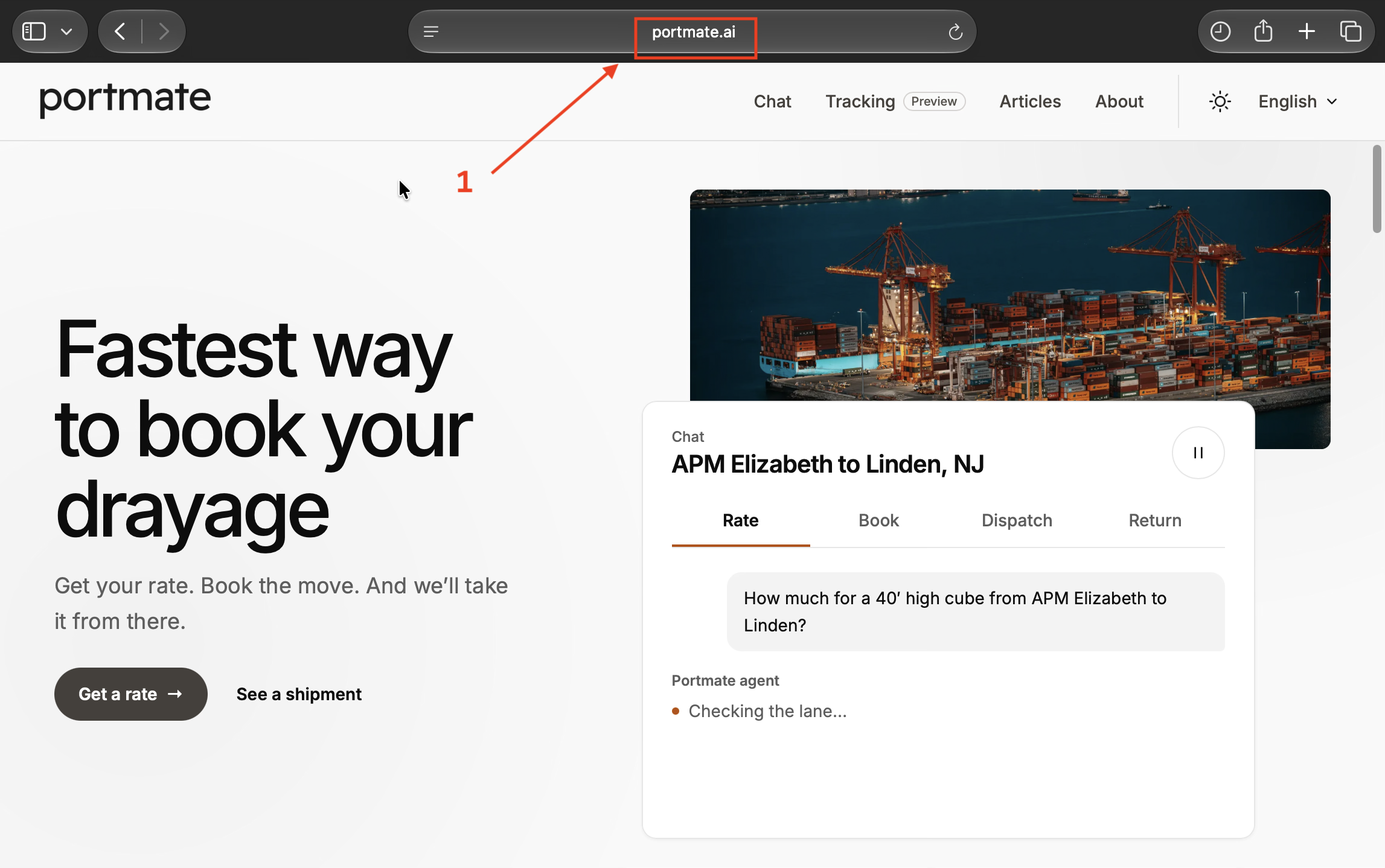
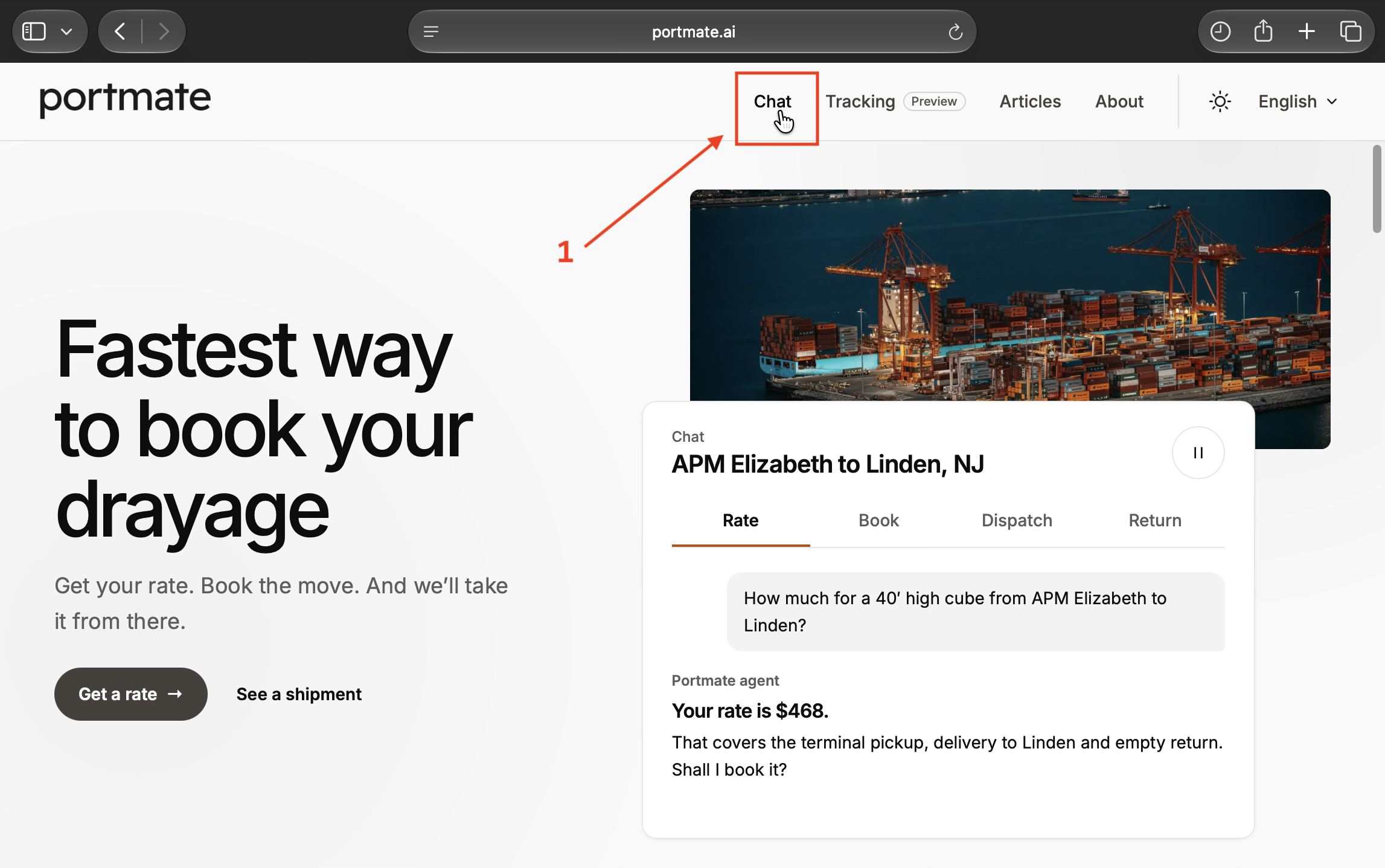
Select Chat. On the homepage shown here, Chat is in the top navigation. On a smaller screen, open the navigation menu to find it.
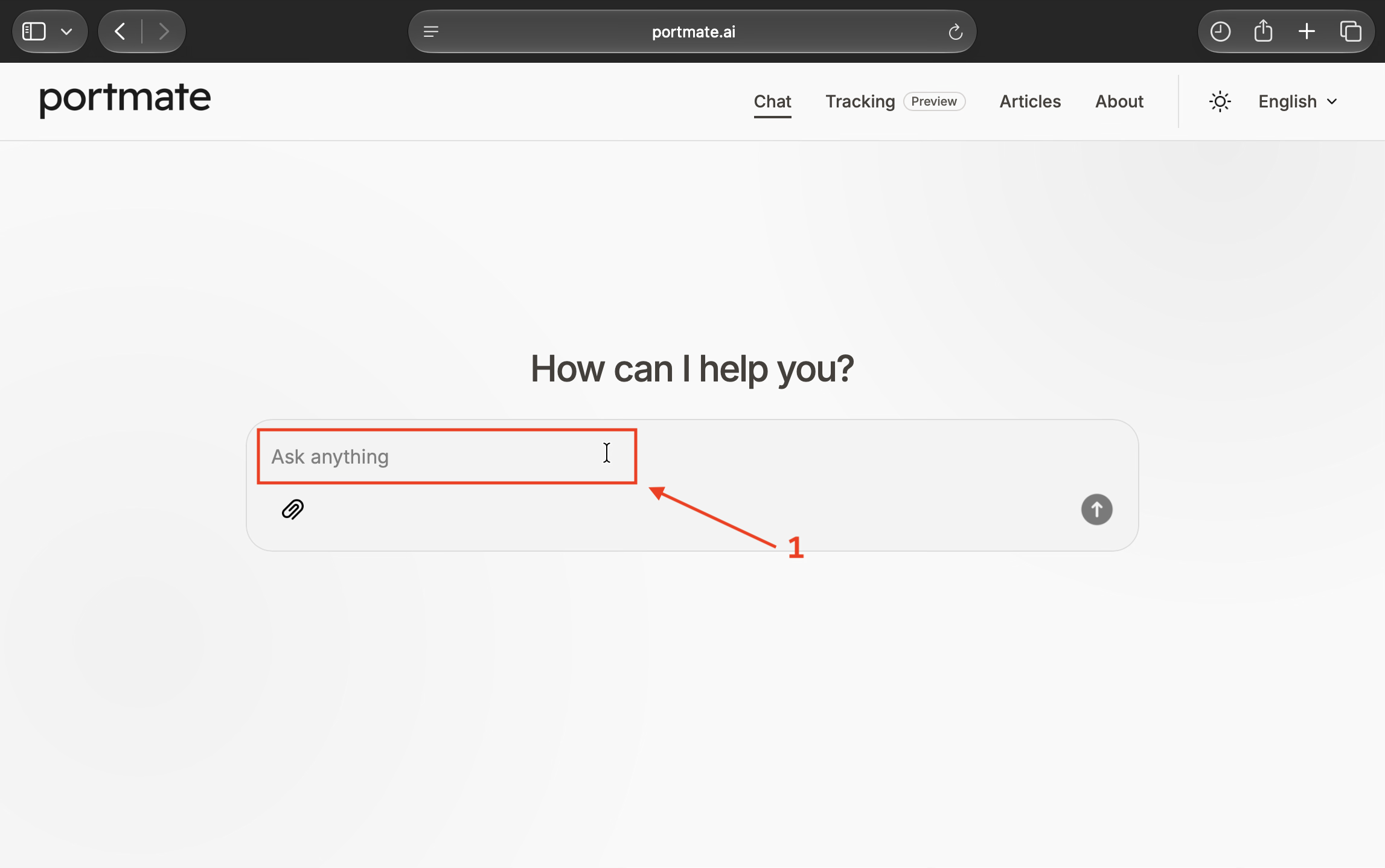
Select Ask anything. Paste the full notice link into the message box. If someone forwarded the notice by email, open the publisher’s article first and copy that address. A link to your inbox will only take you back to your mail.
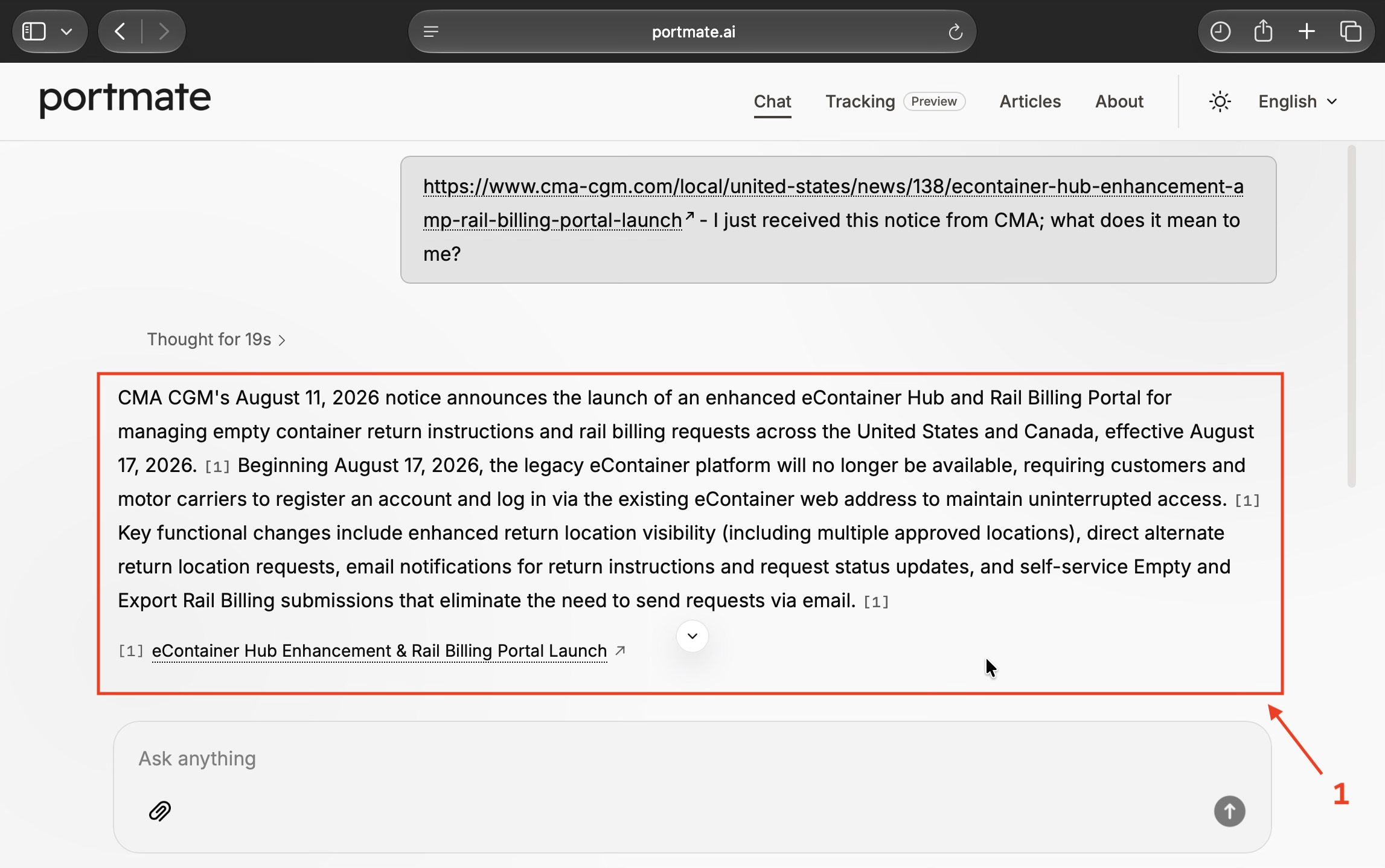
Add your question and send it. In the example, the user adds
I just received this notice from CMA; what does it mean to me?after the link and selects the upward arrow. Use that wording for a first read. For a specific move, give your role, transaction, facility, or planned date where relevant.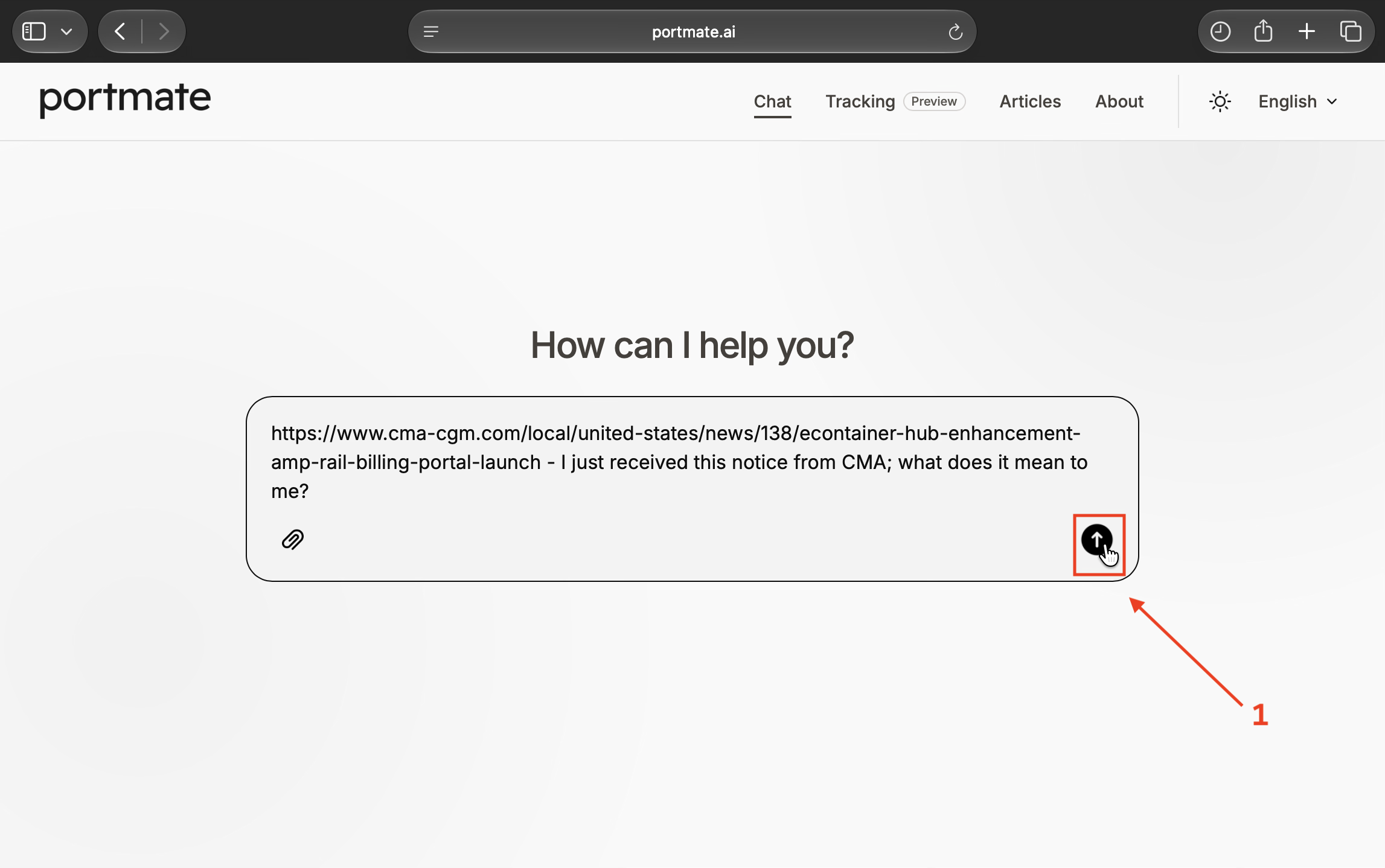
Read the answer and open its source. The example reply identifies the carrier, dates, and changes to empty returns and rail billing. The numbered reference below it opens the carrier announcement. On a phone, you can read the original eContainer notice directly.
Work out what changes for your team
CMA CGM issued this notice on August 11, 2026. The change took effect on August 17, 2026 for customers and motor carriers using the service in the United States and Canada. The web address stayed the same, but users needed to register and sign in to the enhanced platform. Someone with the old bookmark could reach the right site and still need to set up access. The carrier gives the registration instructions in its launch announcement.
| If your job is to… | What to do with this notice |
|---|---|
| Dispatch an empty container return | Have the person arranging the return check access and look up the approved location for that container. The hub may show more than one. If you need a different depot, check whether you can request it and wait for approval before redirecting the driver. |
| Submit empty or export rail billing | The notice moves those requests from email to the portal. Have the colleague who submits them verify access. For an individual move, check its request status before telling anyone the billing is complete. |
| Coordinate transport for a customer | Find out who handles the empty return or rail billing on this move. If the motor carrier handles it, ask that team to confirm access and return instructions. The customer can receive the confirmed plan without having to interpret the portal announcement. |
One follow-up gets to the practical limit of the source: Does this notice name the depot where my driver should go? If the location depends on the container, tell me where dispatch should check. The announcement explains how locations and alternate requests work. The instruction for a particular empty comes from the carrier’s return information for that equipment.
Here’s a dispatch message you could send while approval is pending:
Please hold the depot change. CMA CGM lets us request an alternate return location. Dispatch will check the request in eContainer and send you the confirmed depot before you head over.
Ask the question that determines your next move
Different notices leave different details to the reader. A gate schedule may give two closing times. A rate notice may contain several prices for the same equipment. These examples show how to narrow the question and what to check in the answer.
Gate hours and holiday closures. Try We plan to pick up an import at Bayport on November 27, 2026. What is the last time the truck can enter, in Houston time? Show me the line for the container terminals. In Port Houston’s holiday schedule, the Friday entry for Bayport and Barbours Cut lists operations until 5 p.m. and an ingate cutoff of 4 p.m. A driver arriving at 4:30 would miss entry. Check the box’s availability and any hold separately in Port Houston’s Lynx portal.
Rail cutoffs and equipment exceptions. Say which railroad, ramp, and equipment you mean. For example: We have a refrigerated export on CN. Which document gives our cutoff, and what information do you still need to give me the actual day? In its Canadian ramp advisory, CMA CGM directs readers to the carrier-provided reefer reservation for the CN refrigerated cutoff. The linked public CN cutoff applies to dry containers. If you have only that public link, get the reservation before setting the truck time.
Surcharges and rate changes. Ask Which origin, destination, equipment, and effective period does this charge cover? What is the amount per container, and which date on my booking determines whether it applies? One CMA CGM peak-season surcharge notice lists several periods for the same trade, including two different amounts in September 2026. Ask for the row and tariff rule behind the answer. If the notice leaves the controlling shipment date unclear, check the applicable terms with the carrier before quoting a customer. When comparing the announcement with an invoice, check who bills each container fee and which unit it uses.
A temporary closure or reopening. Give the affected terminal, gate, transaction, and local date. Ask What is suspended, when does the notice say service resumes, and is the reopening confirmed or only expected? If the original bulletin says the next update is due at noon, record noon as the time to check again. Keep the reopening time open until the operator confirms it. To look for a later bulletin, follow the steps for searching for up-to-date information.
When the link or the answer leaves something unresolved
- Chat can’t read the link. Try opening it in a signed-out browser window. If it lands on a news index, open the individual advisory. If the details are in a linked public PDF, copy the direct HTTPS link and ask about the relevant page or table. If the document is private or the PDF is unreadable, paste the passage you’re allowed to share, including its heading, dates, units, and footnotes. Leave credentials and private access links out of the message.
- The answer is broader than the notice. Ask
Which sentence supports that conclusion? What does the notice leave unstated?Read the surrounding paragraph and any exception below the table. A phrase like eligible customers calls for another question: what makes your customer eligible? - Two notices seem to disagree. Provide both links and ask which issuer, facility, transaction, and dates each one covers. A new bulletin about export receiving can coexist with an older rule for import pickups. Look for an explicit revision or cancellation. If both cover your move and the conflict persists, take the two references to the operator before dispatch.
- You need the status of one shipment. Check the carrier, terminal, or booking record for the actual release, appointment, approved depot, or last free day. For a move managed in Portmate, you can also ask Chat for its recorded shipment status. Tell the next person which detail is confirmed and who is following up on anything still open.
Once you know what applies, ask for the handoff in the form you need: Write two sentences for my dispatcher. Give the instruction for this move and its effective date. Include the source link and name anything we still need the carrier to confirm.