

How to get accessorials
Portmate lets you ask for current accessorial charges directly. You can ask for a complete terminal list, look up one specific charge, or include an operational requirement while requesting a quote.
You do not need to remember every accessorial name, rate-sheet code, or billing rule. During quoting, Portmate's machine learning model reviews the shipment details and conversation context, then tries to identify and apply the most likely supported accessorials from the selected terminal's current rate sheet.
Understand accessorials
Accessorials are easier to plan when you separate the service type from the terminal-specific rate and billing rules.
What accessorials mean
Start with the purpose of the charge, then check the terminal-specific rate and billing unit before treating it as part of a shipment cost.
Accessorials are charges for services or operating conditions outside the basic container move. They may apply when a shipment needs extra time, equipment, handling, or an additional trip.
Common examples include:
- Pre-pull: Picking up a container before the planned delivery date and holding it before final delivery
- Container drop: Leaving the container at the facility and returning later to retrieve it
- Storage: Holding a container or related equipment beyond the included period
- Re-delivery: Making another delivery attempt after the original attempt could not be completed
- Waiting time or detention: Keeping the driver and truck at a terminal or facility beyond the included time
- Hazmat: Additional handling or operating requirements for hazardous cargo
- Tri-axle chassis: Specialized chassis equipment that may be needed for certain heavy containers
- TONU: Truck ordered, not used, when a dispatched truck is no longer needed or cannot complete the planned move
The available charges, rates, billing units, and conditions can differ by terminal metro.
Before you begin
You normally only need the terminal metro for a general accessorial lookup, such as Savannah, Houston, Chicago, Los Angeles/Long Beach, or New York City/NJ.
You do not need a quote number or a signed-in account to ask Portmate for a current terminal accessorial list. You need to sign in when you are ready to create an instant quote.
Ask Portmate for accessorials
Use Portmate when you want the fastest lookup. The platform can return a full terminal list or answer a narrower accessorial question.
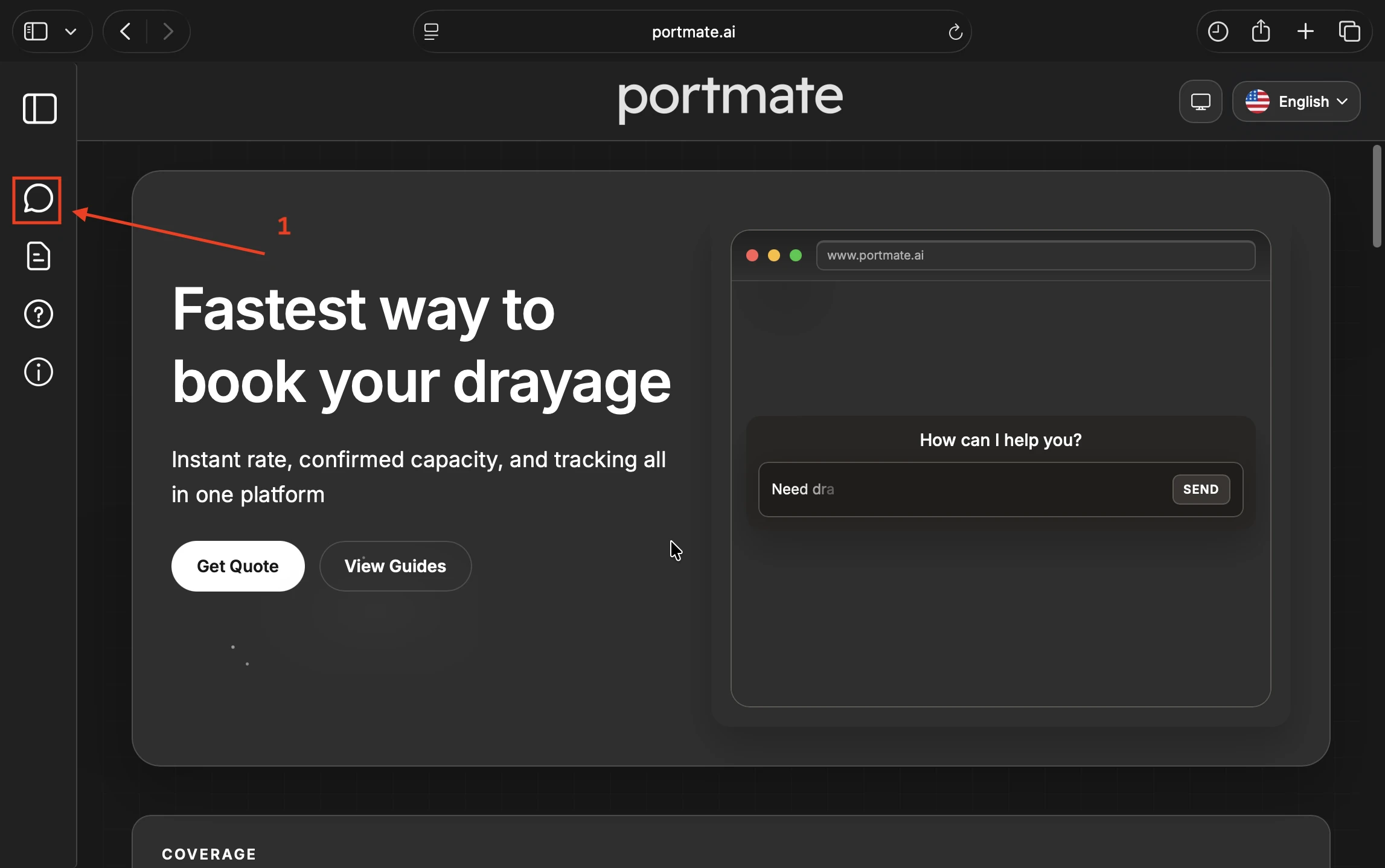
Step 1: Open Portmate
- Visit .
- Select Chat in the navigation menu.
Step 2: Ask by terminal
Ask Portmate for the current accessorials and include the terminal metro.
Example prompts
- "What are the current accessorials in New York?"
- "Show me accessorial charges for Savannah."
- "Give me the Houston accessorial list."
- "What extra charges are available in Chicago?"
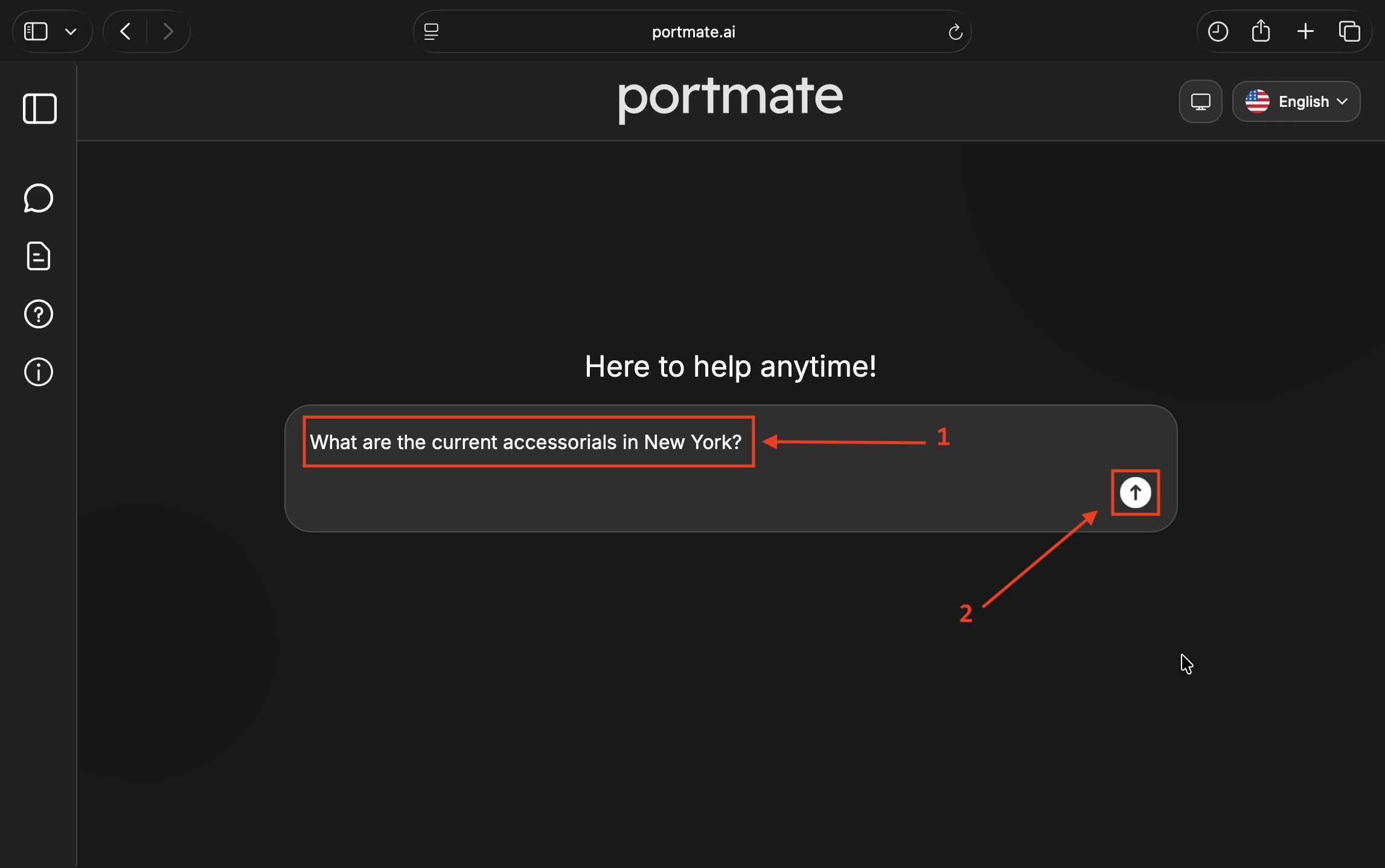
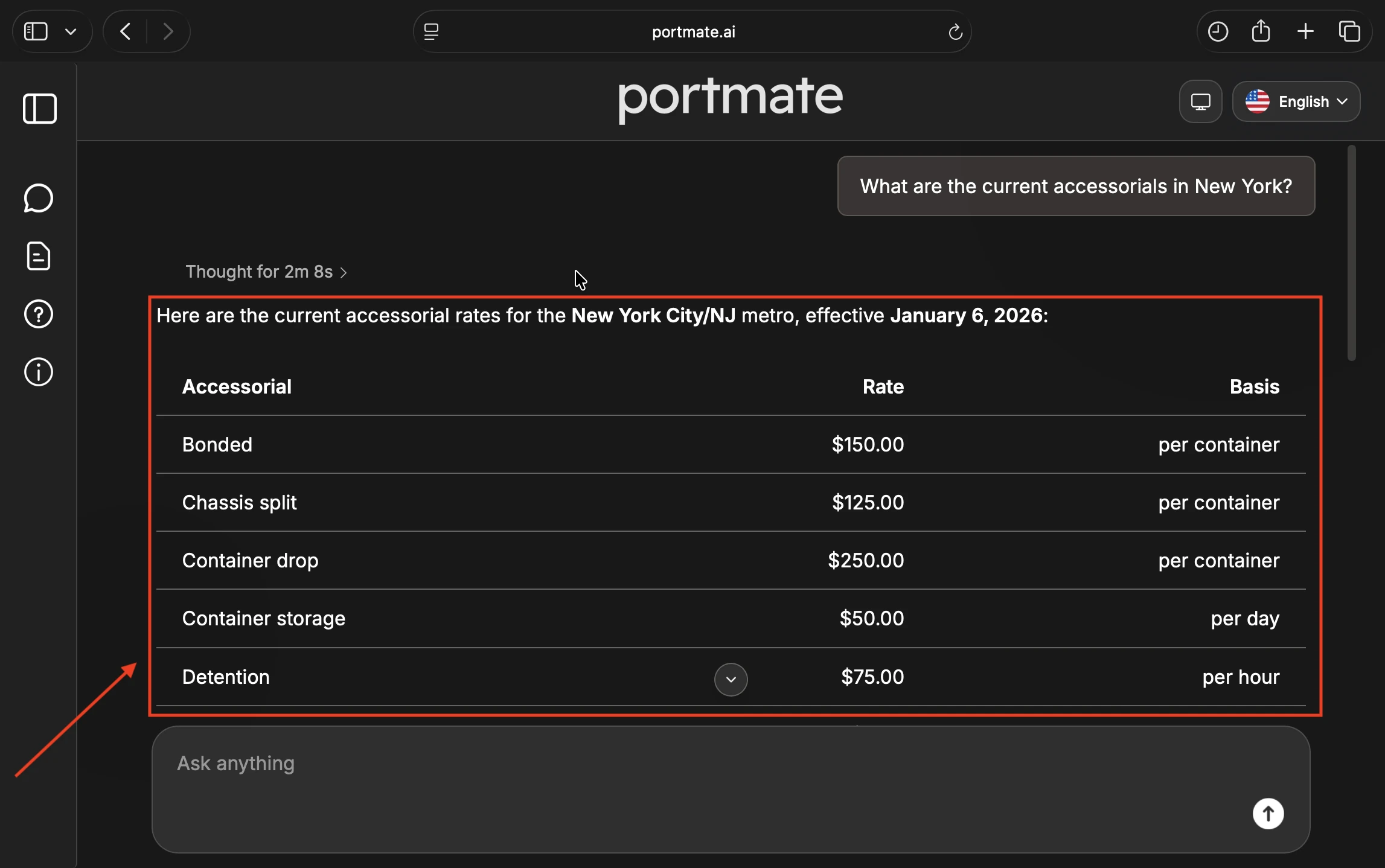
Portmate uses the metro to retrieve the current terminal-specific accessorial sheet.
Step 3: Ask about a specific charge
You can narrow the lookup when you only need one type of charge.
Example prompts
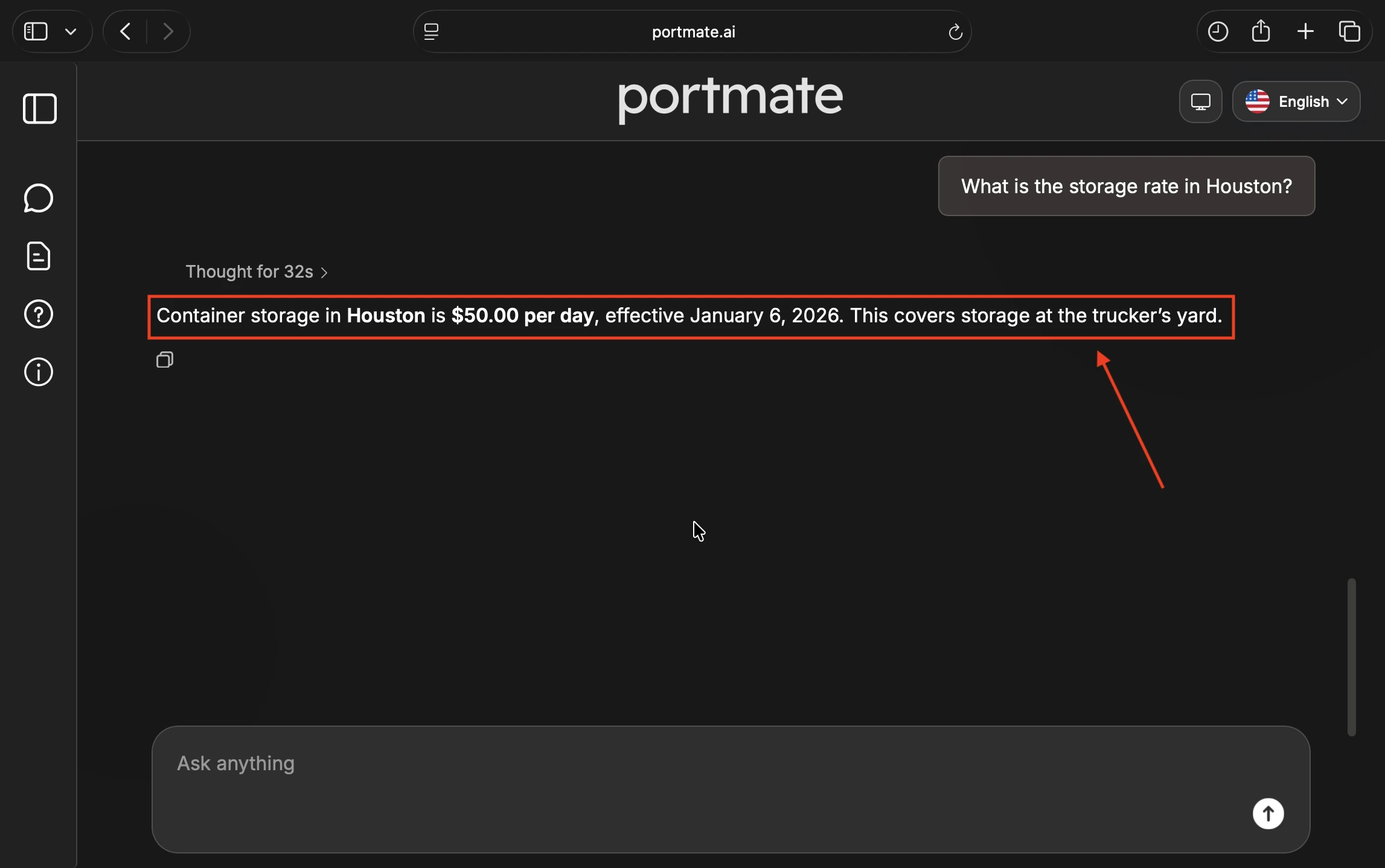
- "What is the storage rate in Houston?"
- "Show the current hazmat charge for Savannah."
- "How much is a container drop in Chicago?"
- "What are the pre-pull and re-delivery rates in New York?"
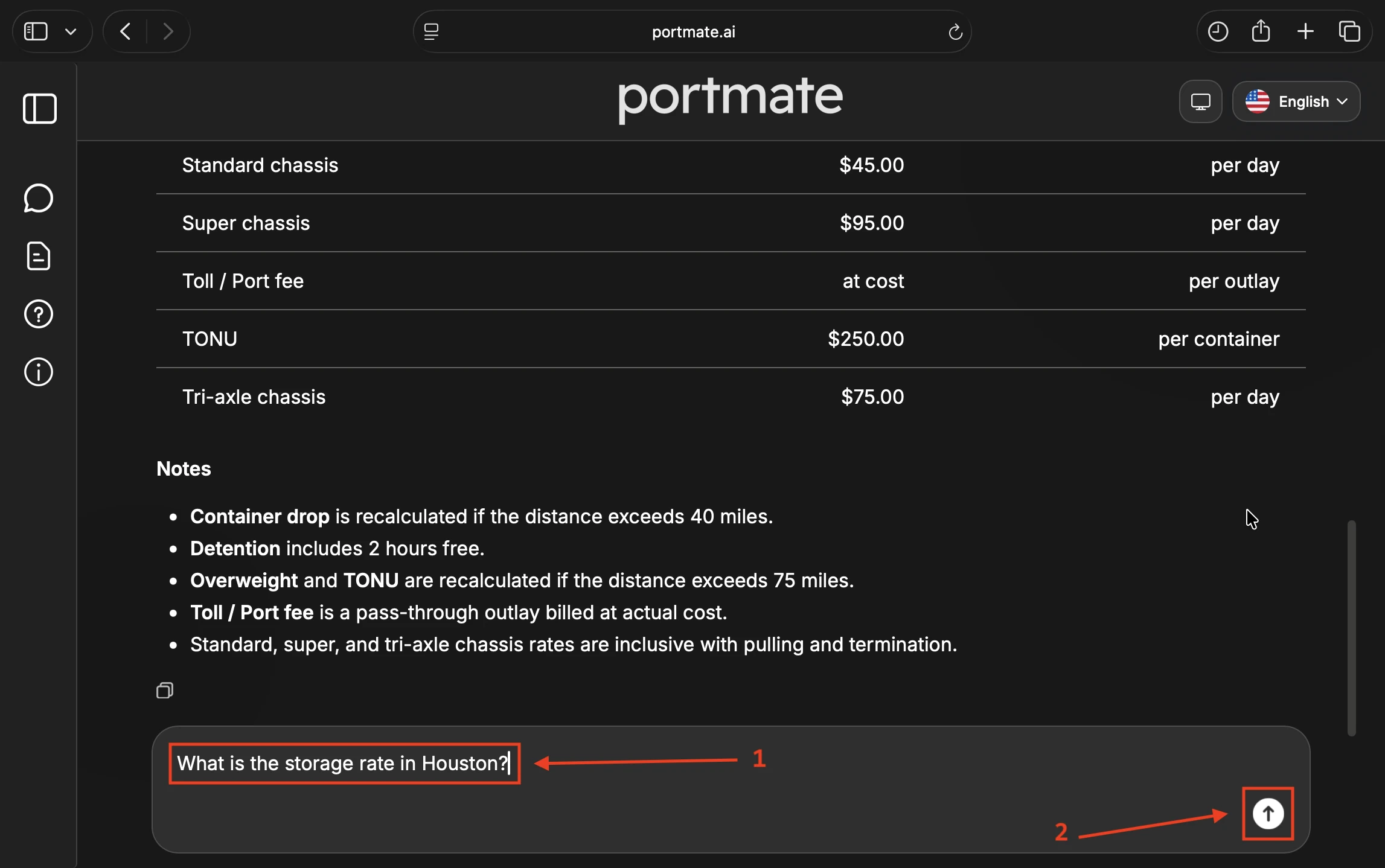
If the requested charge is available, Portmate returns its current rate, billing unit, and relevant notes. Availability and pricing may vary by terminal.
Step 4: Read the result
For a specific lookup, Portmate can return the charge, rate, billing basis, effective date, and a short explanation.
Full terminal lookup
For a full terminal lookup, Portmate presents the accessorials in a readable table. Depending on the available data, the result can include:
| Field | What it means |
|---|---|
| Charge | The accessorial service or operating condition |
| Rate | The listed amount or at cost for a pass-through outlay |
| Unit | How the charge is billed, such as per container, day, hour, ticket, gallon, or outlay |
| Notes | Conditions, mileage limits, thresholds, or recalculation rules |
Read the rate, unit, and notes together. A per-day charge works differently from a one-time per-container charge, and some services may have terminal-specific conditions.
An accessorial lookup is a current rate reference. A listed charge is not automatically part of a shipment total unless it appears in the quote's pricing breakdown.
Use accessorials during quoting
You do not need to remember every accessorial. When you request a quote, describe the shipment requirement in normal operating language.
When you request an , describe what the shipment actually needs. You do not have to know the exact Portmate rate-sheet label or code.
Example quote requests
"Quote a 40HC from Savannah to Atlanta. The cargo is hazardous."
"Quote a 20GP from Houston to Pasadena, TX. The container must stay at the facility overnight and be collected the next day."
"The driver may need to wait three hours at the warehouse."
Automatic selection
During quote creation, Portmate's machine learning model reviews:
- Your latest request and relevant conversation context
- The terminal metro
- The facility and lane details
- The container type, commodity, and cargo weight
- The selected terminal's current accessorial rates and conditions
- Operational details such as hazmat, waiting, pre-pull, or overnight container dwell
The model then selects supported accessorials when the request explicitly states or strongly implies that the service is needed. If no accessorial applies, it leaves the accessorial selection empty.
This means you do not need to search for the correct fee name before asking for a quote. However, Portmate cannot infer an unusual requirement that was never mentioned. Include details such as hazardous cargo, driver waiting, pre-pull, residential delivery, weighing, or overnight loading when they apply.
Portmate does not add every possible terminal charge to a quote. It checks the shipment context against the current terminal sheet and only includes a supported charge when the operating requirement justifies it.
Selection examples
- Saying the cargo is hazardous can trigger the terminal's supported hazmat charge.
- Saying the container must remain overnight can indicate a dropped-container operation and additional chassis time.
- Asking for a scale ticket can trigger a supported weighing or scale-documentation charge.
- Providing only a normal lane and delivery address does not automatically trigger storage, waiting time, residential delivery, or a container drop.
When an accessorial is applied, the quote can show the charge as a separate pricing row with its billing basis and the reason it applies.
Related calculated charges
Some charges are calculated from structured shipment details rather than selected as optional accessorials:
- Reefer handling depends on the container type.
- Overweight handling depends on cargo weight, container type, route, and supported chassis tier. You can check lane support in the .
- Chassis type and included chassis days are calculated as part of quote pricing, although you can request additional days or a higher chassis type when operationally required. The explains how chassis tiers affect heavier containers.
Always review the final quote breakdown to confirm which charges are included.
Use the full accessorial table
For a visual reference outside the main request flow, visit .
- Select the terminal metro for the move.
- Check the sheet's effective date and currency.
- Review the Charge, Rate, Unit, and Description columns.
- Use the terminal tabs above the table to compare another metro.
- On smaller screens, scroll the terminal tabs left or right.
When to use the table
- Browse every listed charge for a terminal
- Compare accessorials across different metros
- Review detailed notes or billing units
- Share a terminal-specific reference with an operations or pricing team
Treat at cost as a pass-through charge billed at actual cost, not as a zero-dollar fee.
Lookup vs. quote pricing
These results serve different purposes:
| Result | Purpose |
|---|---|
| Portmate or table lookup | Shows current reference rates available for a terminal metro |
| Quote pricing | Shows charges actually included in a specific quote |
A charge from the Portmate lookup or terminal table should only be treated as part of the quoted total when it appears in the quote's pricing breakdown.
Plan accurately
Use the accessorial lookup as a planning reference, then rely on the quote breakdown for the exact charges included in a specific shipment price.
Tips for accurate results
- Name the terminal metro when asking for a general accessorial list.
- Describe the real operating requirement when requesting a quote.
- You do not need to know the exact accessorial name or internal code.
- Include timing details such as extra hours, overnight loading, or next-day pickup.
- Mention hazmat, residential delivery, weighing, pre-pull, or other special requirements when they apply.
- Read the billing unit and terminal notes, not only the dollar amount.
- Check the quote breakdown to confirm which charges were applied.
Once you have the accessorial context, you can move from lookup to quote review or compare another terminal.
What you can do next
- Ask Portmate about another terminal or charge
- Request an instant quote using natural operational details
- Review the quote breakdown and applied accessorial reasons
- Compare full terminal tables at
Portmate combines natural-language requests, terminal-specific rate sheets, and contextual machine learning so you can identify relevant accessorials without memorizing the full fee schedule.