
How to create your Portmate account
Creating a Portmate account is a very simple and easy task, it takes less than a minute. There are no passwords to save and remember — Portmate uses a secure one-time passcode sent to your email for fast and secure access.
Before you begin
You’ll need:
- A valid business email
- A mobile phone number
Note: Portmate does not use a specific sign-up form. Your account will be created when you submit your first request.
Step 1: Open the chat
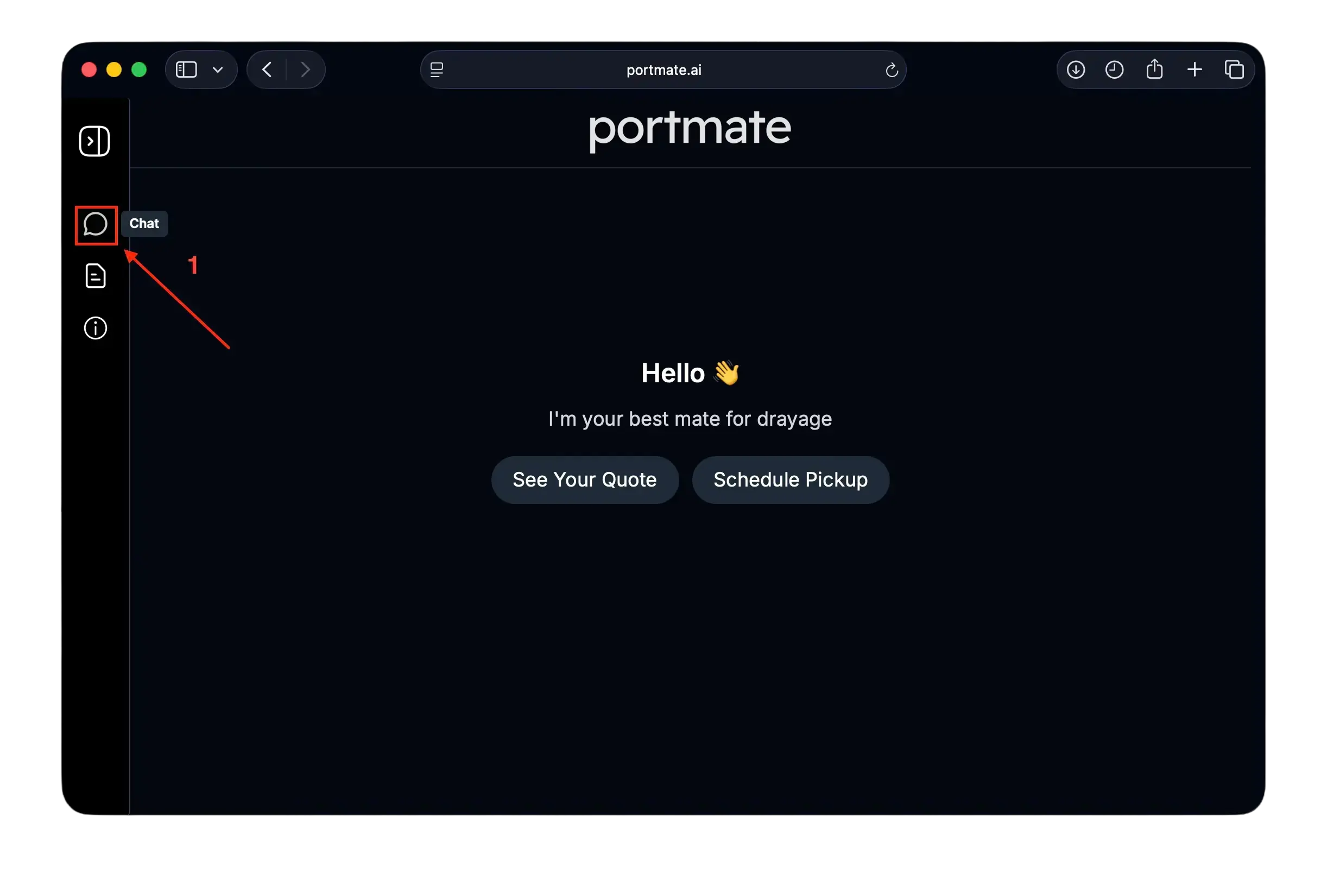
- Visit portmate.ai in your browser.
- Click the chat icon on the left navigation bar.
Step 2: Make the request you need
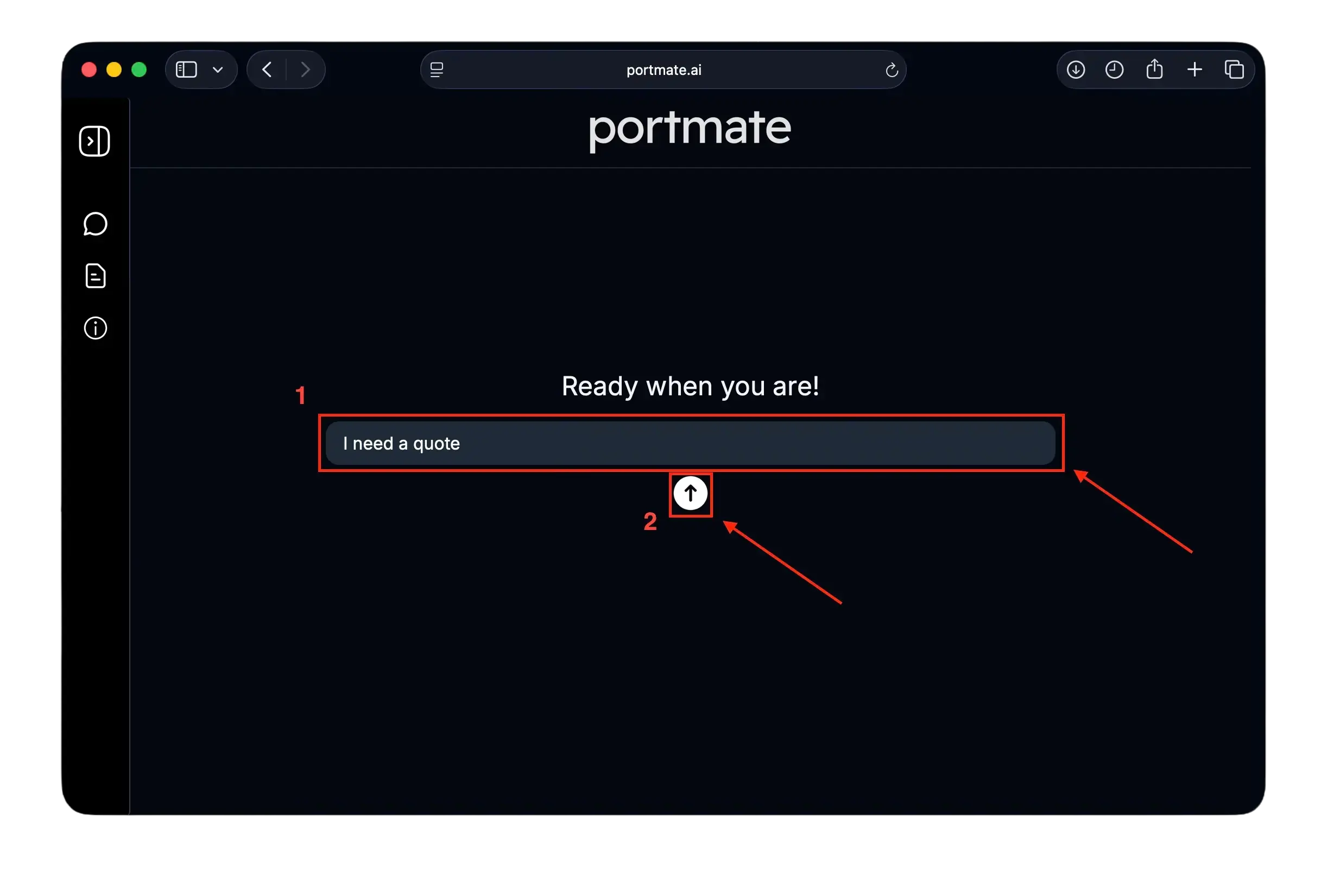
Your account creation begins the moment you submit any request, such as:
- “Get a drayage quote”
- “Book a container pickup”
- “Show my previous quotes”
Type your request, and then press Enter or click the Send button (the arrow below in the chat input form) to continue.
Step 3: Enter the necessary task details
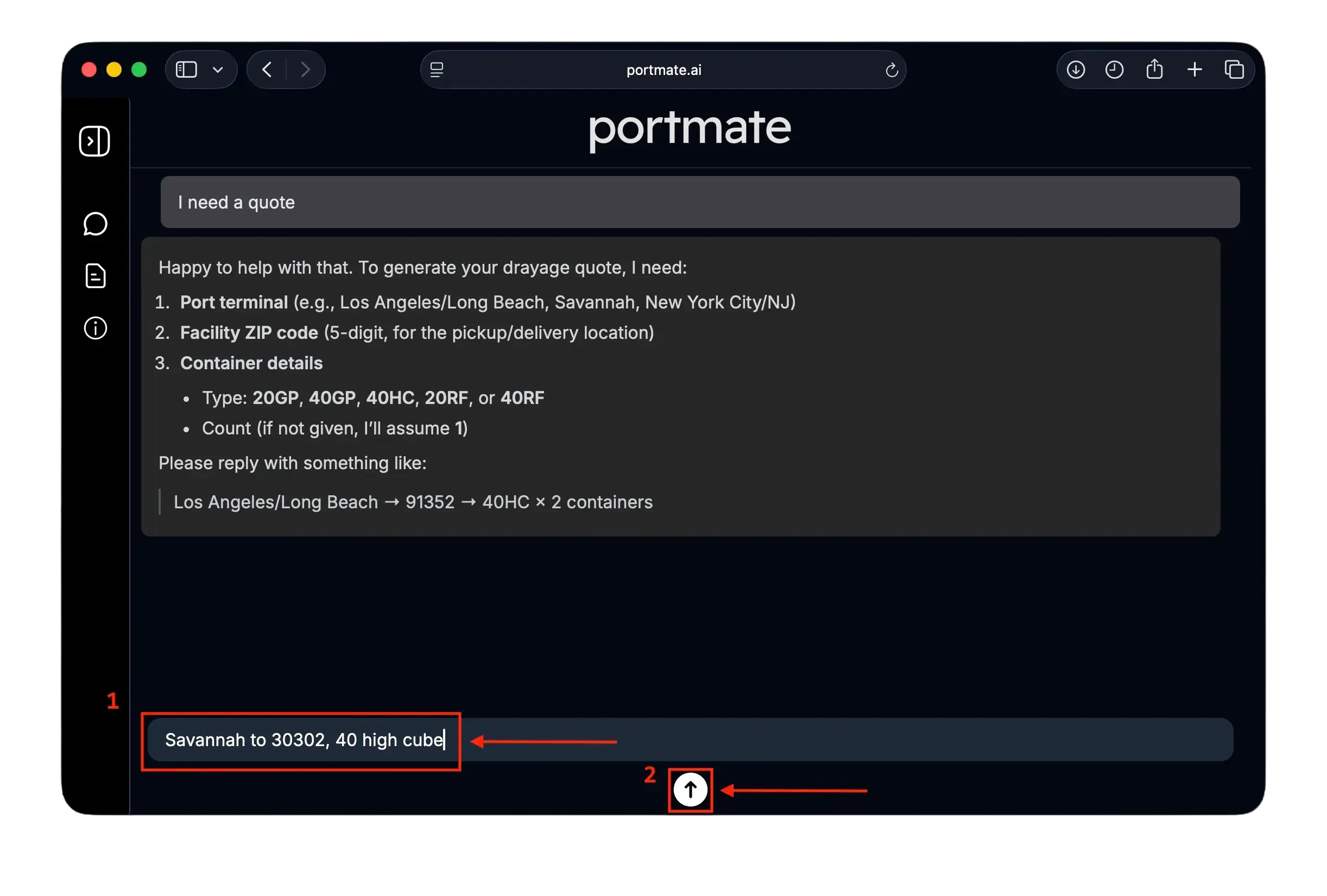
Portmate will request the information needed to complete your task. For example, to generate quotes:
| Required info | Example |
|---|---|
| Terminal (Port or Rail Ramp where container is being discharged at) | Savannah |
| Facility ZIP (Consignee for Imports, Shipper for Exports) | 30302 |
| Container size and type (Standard, High Cube, or Reefer) | 40HC |
| Container count | 1 |
Type in the required information to proceed.
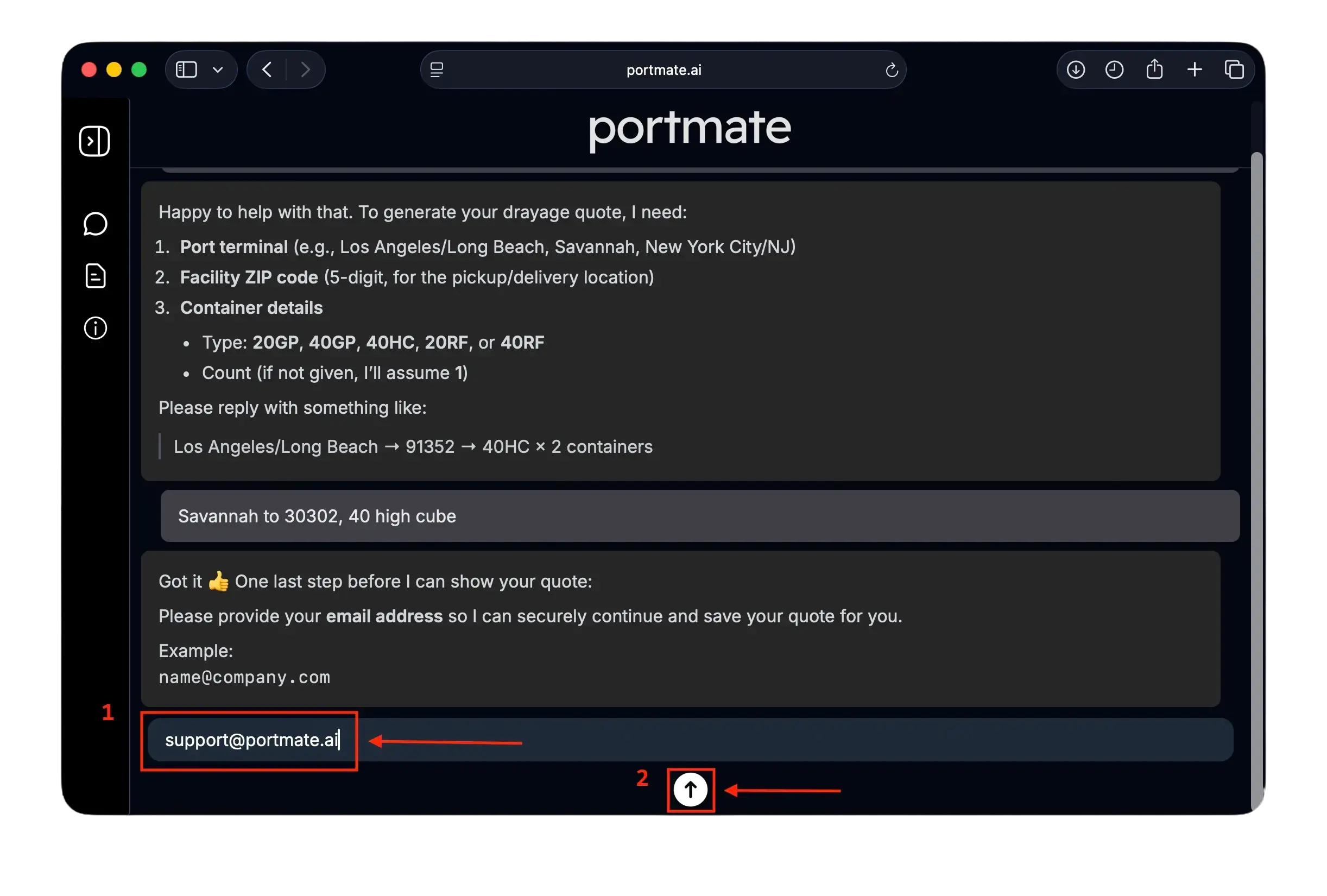
Step 4: Enter your email
If you do not have an account yet, Portmate will ask:
Your email address
Type your business email and press Enter.
Step 5: Enter your phone number
For new accounts, you need to provide your mobile phone number, in international format that you usually use and is convenient for you:
Examples:
+1 (415) 555-2671
+55 11 99999-8888
0086 138 0013 8000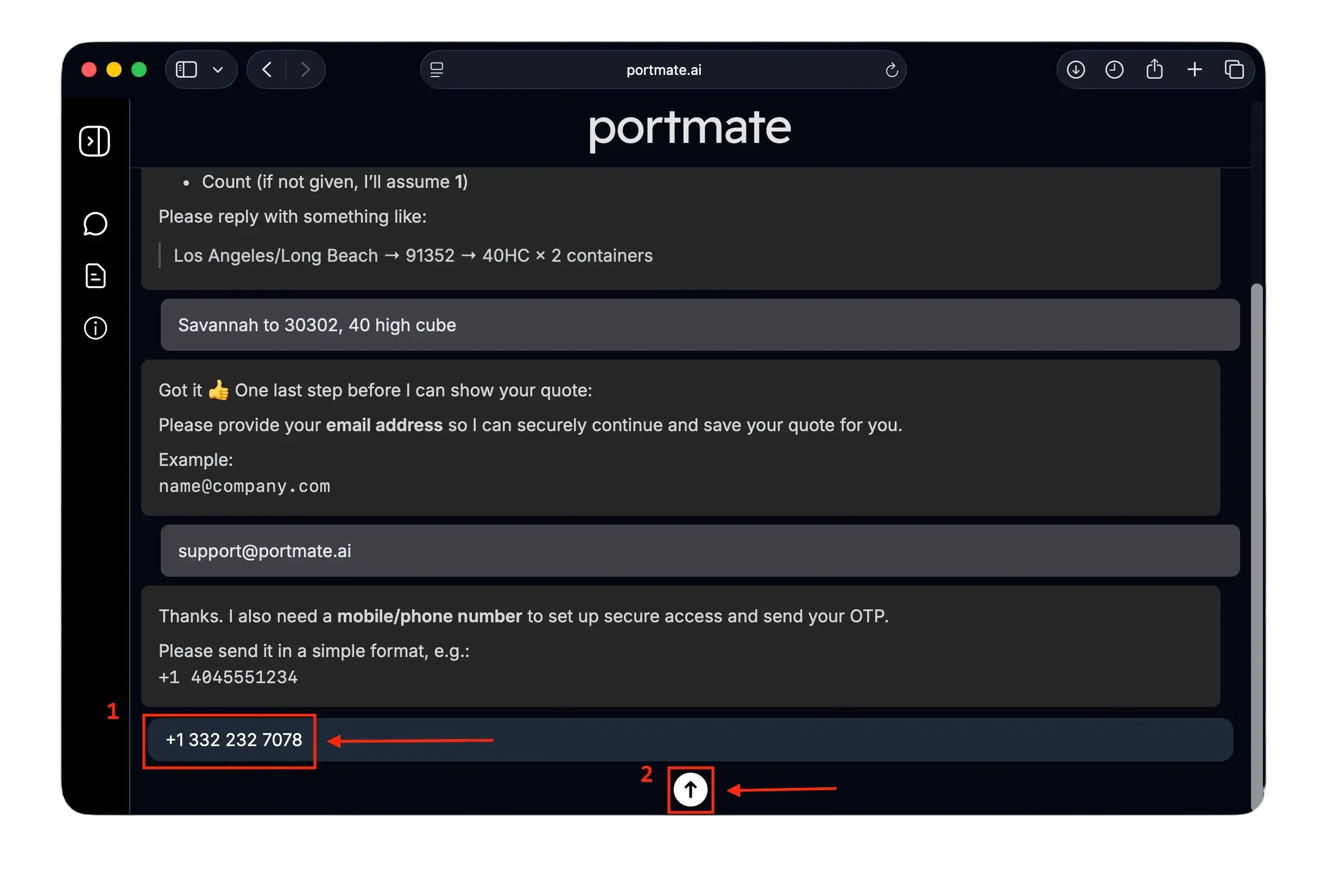
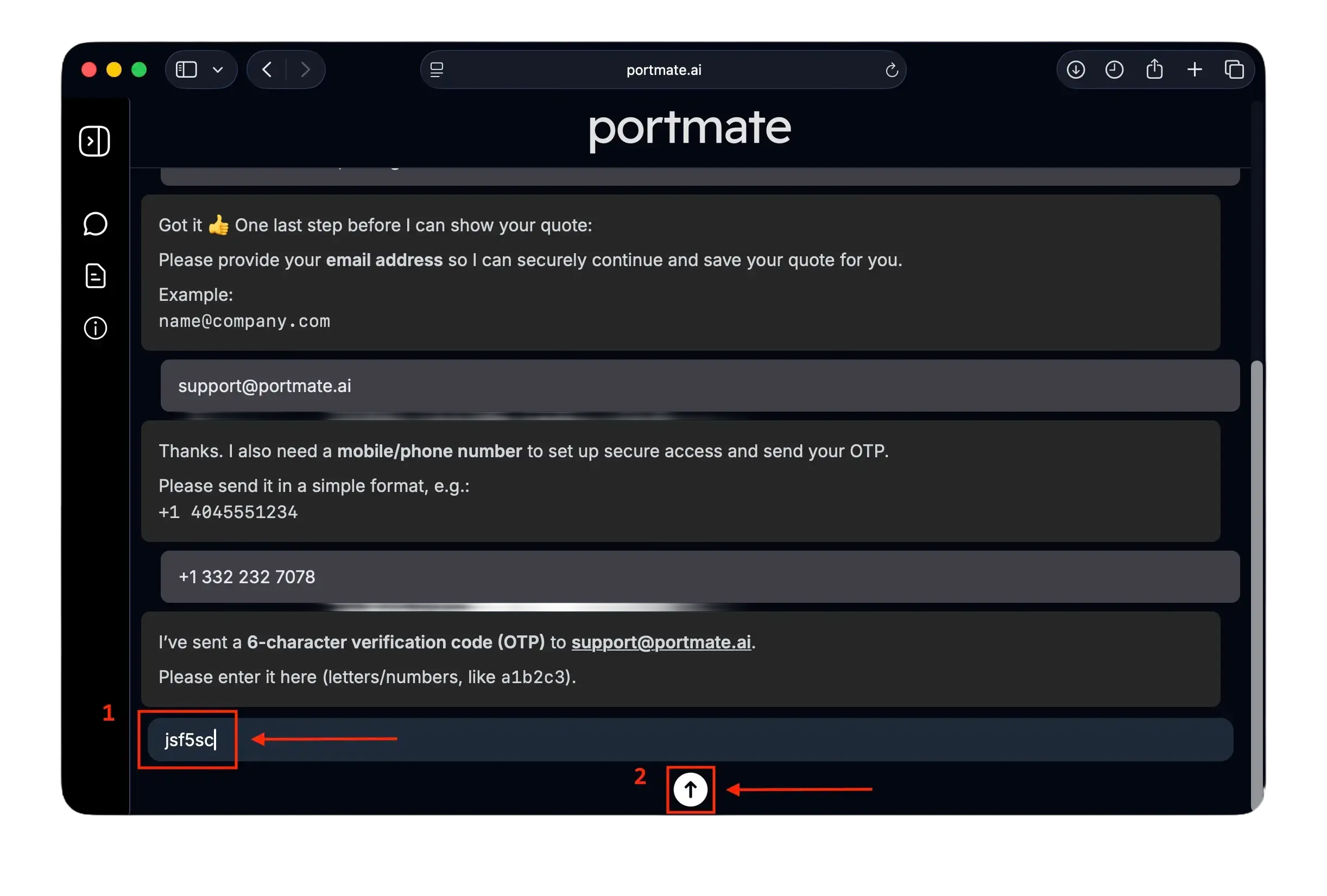
Step 6: Enter the OTP to complete registration
- Check your inbox for an email from Portmate
- Find your 6-character OTP, e.g.
a9f2c3 - Enter the OTP in the chat.
If you don’t see the email:
Check Spam or Promotions folder
When not received within 1 minute, you can type
“Resend code” for the OTP to be resent
Step 7: You're in! 🎉
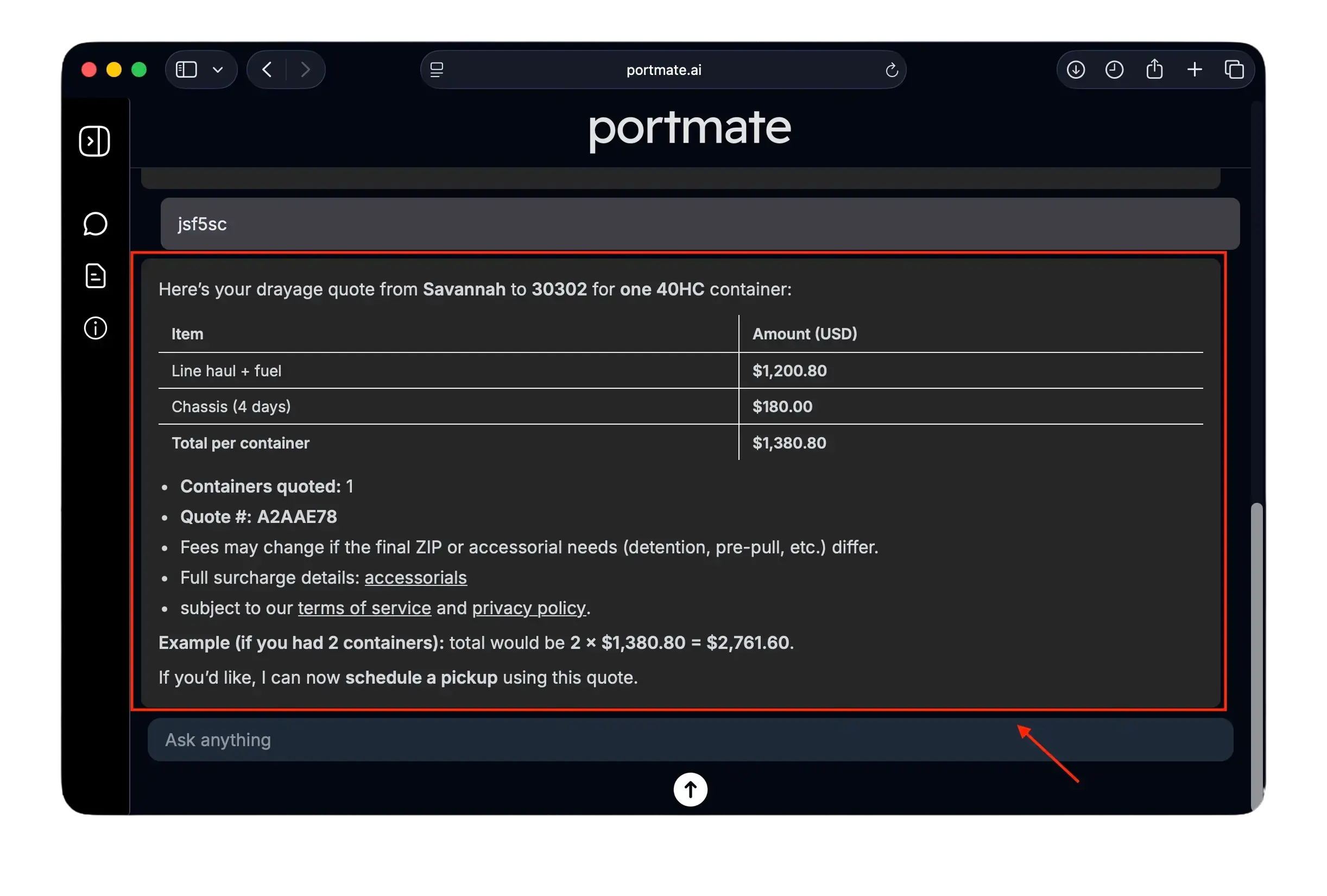
After your OTP is verified:
- Your Portmate account is created
- You are signed in instantly
- We automatically proceed with your original request (quote, booking, etc.)
After your account is created
You can now:
- Generate instant drayage quotes
- Access previous quotes any time
- Convert quotes into bookings
- And much more coming soon drayage-related workflows
Portmate delivers a fast, automated experience for handling US drayage and logistics tasks that you can instantly complete any time without any manual emails or spreadsheets.