
How AI summarizes shipment data into clear updates
AI shipment summaries organize available tracking information into a readable overview, helping you find the shipment's recorded status, next planned step, and relevant details without opening every field individually. In Portmate, open Tracking, find your shipment, and expand Current shipment update above the map.
Start with the status and next milestone. Then check the dates, any holds or deadlines, and the details needed for your immediate task. The full tracking record remains available when you need to investigate further.
This guide explains how to use that overview for a container move, turn it into a useful customer or team update, and recognize when a supporting record needs a closer look. The walkthrough uses the example container MAEU1234567; its August 2026 dates describe a recorded demonstration shipment.
Why shipment information takes time to understand
A shipment record answers many different questions. Container and booking references identify the move. Milestones describe its progress. Driver and equipment details show who and what is assigned. Appointment times describe the plan, while notes explain operational events. Holds, free-time deadlines, and charges introduce other questions that may need attention.
Reading all of those fields in order can bury the answer you came for: Has the container been picked up? Is delivery still pending? Which detail should I check next?
The problem also extends across organizations. The describes operational facts arriving in different formats, through different channels, and at different times. Teams may have to reconcile several versions of the same milestone before they can explain the move clearly.
A useful summary gives those facts a readable structure. It helps you begin with the part of the shipment that matters to your question.
| Shipment information | Main question |
|---|---|
| Status, milestones, and operational notes | What has happened, and what is still pending? |
| Stops, appointments, and available ETA information | Where is the move going next, and which time applies? |
| Holds and free-time deadlines | Is there a restriction or deadline I need to check? |
| Cargo, driver, and equipment details | Does the assigned move have requirements relevant to this task? |
| Accessorial charges, reasons, and proof records | Which additional services or costs need explanation? |
For unfamiliar terms such as pre-pull, chassis, or last free day, use the .
How AI turns a shipment record into an overview
The process begins with available shipment information. In Portmate, the tracking lookup loads the shipment record and map. When you open Current shipment update, Portmate prepares the written overview and, when available, an estimated arrival time for the next stop.
The summary can bring together the shipment's status, cargo and equipment, stops, milestones, operational notes, holds, free-time deadlines, and accessorial information. Its usefulness depends on which facts are present in the record.
Three changes make that information easier to read:
- Related facts are grouped together. Equipment details belong together; completed and pending stops belong in a route or milestone explanation. You spend less effort finding the connection between fields.
- The movement is expressed in ordinary language. A pickup milestone and a note about overnight staging can become an explanation that the container was collected and staged before its scheduled delivery.
- The overview is easier to scan for a particular question. A dispatcher may start with the next stop. A customer service colleague may start with shipment progress. Someone reviewing costs may go to the charge section.
This is an application of AI summarization to business records. For example, describes shipment summaries that combine stops, tracking events, equipment, and costs in one view. Each product's available information and controls determine what its summary can cover.
Portmate's overview uses shipment facts and available ETA information. Map imagery, individual GPS points, and attached proof documents have separate roles in the tracking workspace; an overview should not be treated as a review of every image or document.
You do not need to write a prompt or paste a collection of tracking fields to open the summary. The tracking page prepares it for the shipment you selected.
Open the shipment summary
Have a Portmate quote number, booking number, or container number ready. All three reference types use the same lookup field.
Go to Tracking
Begin at the Portmate home page and open the tracking workspace.
Step 1 — Open Portmate. Go to .
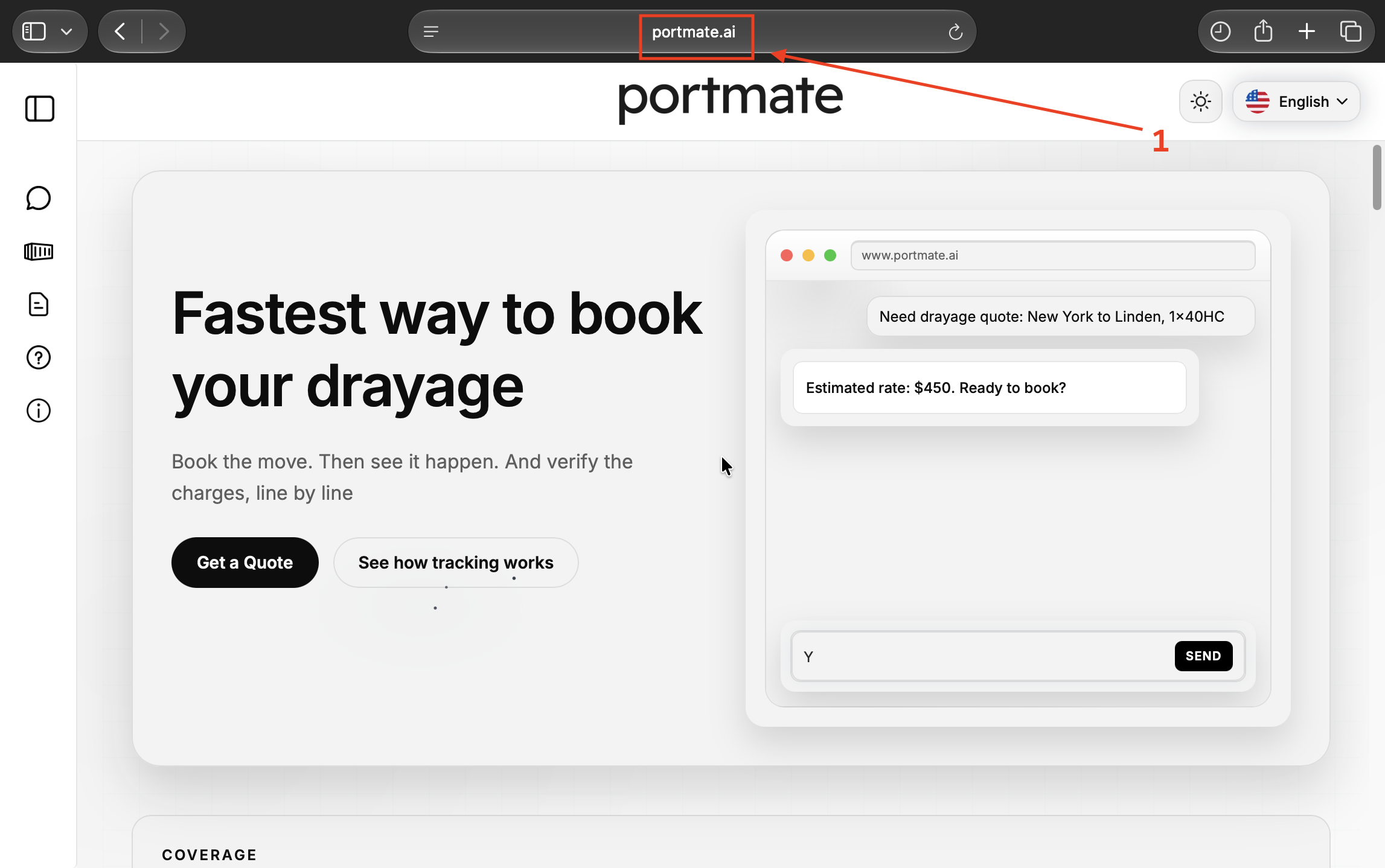
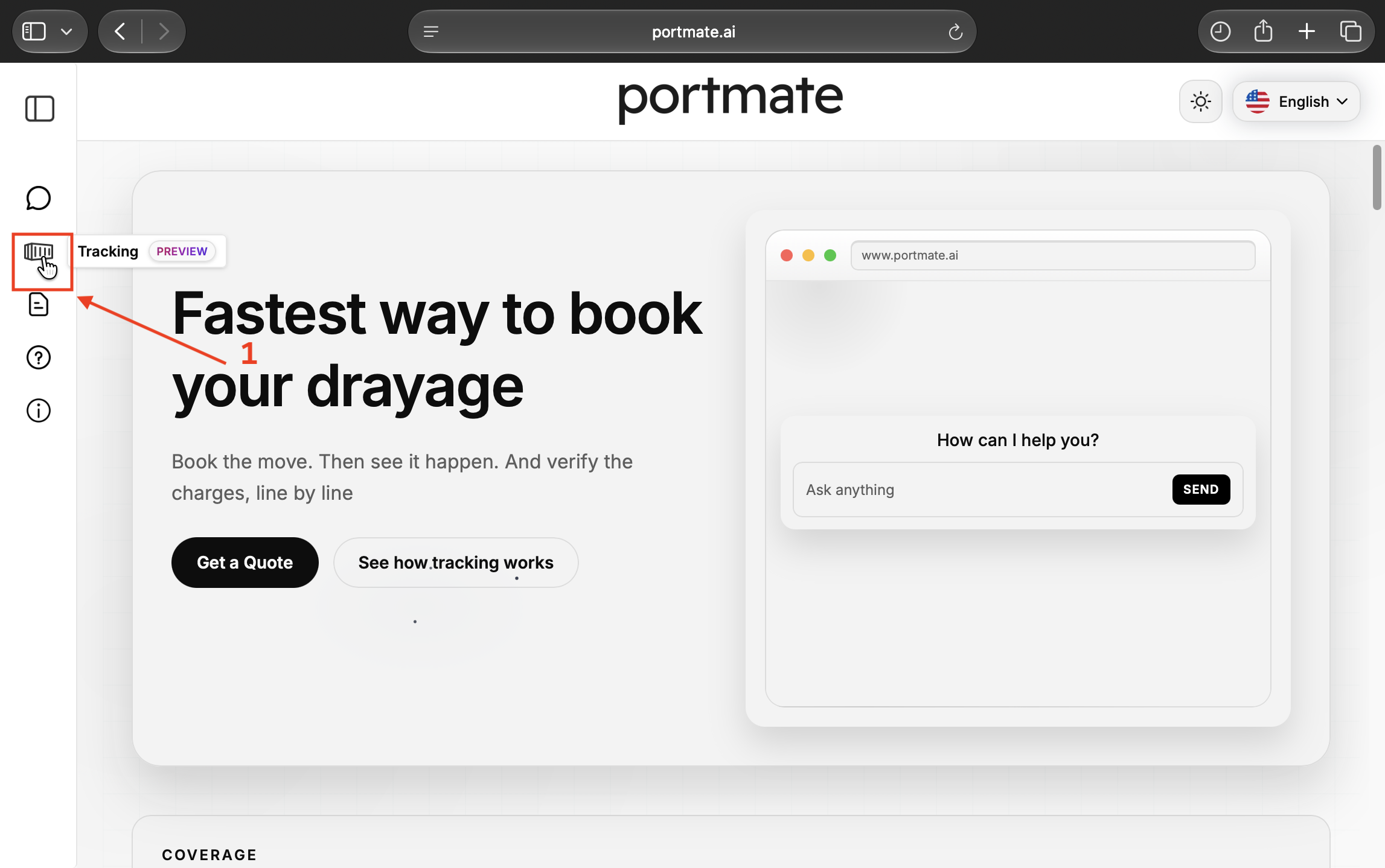
Step 2 — Select Tracking. Select the container-shaped Tracking icon in the left navigation. It is labeled Preview in the screenshots. The Track your container page opens.
Find your shipment
Enter your reference, then load the associated tracking record.
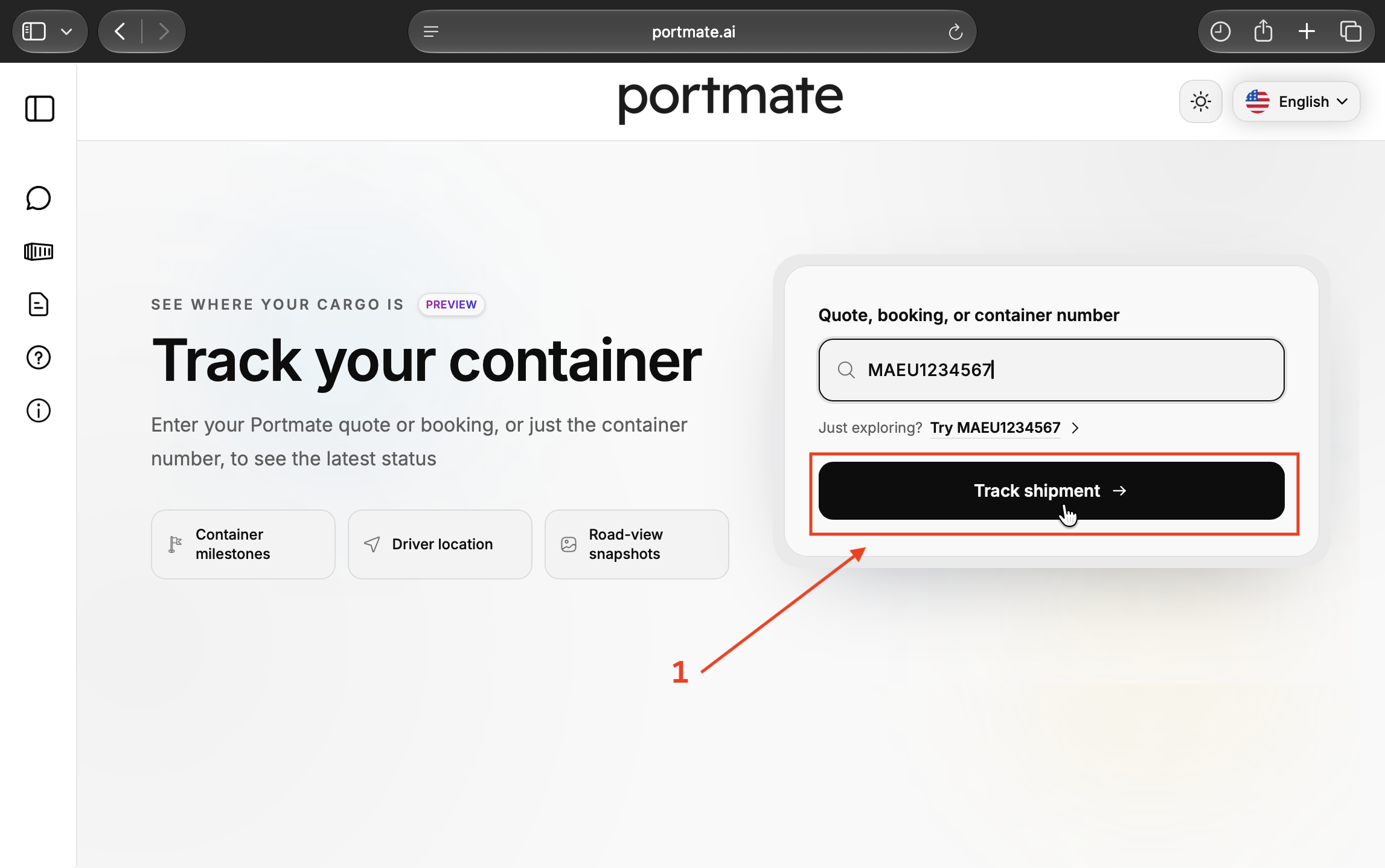
Step 3 — Enter a shipment reference. Select Quote, booking, or container number and enter your reference. To explore the example, enter MAEU1234567 or use Try MAEU1234567.
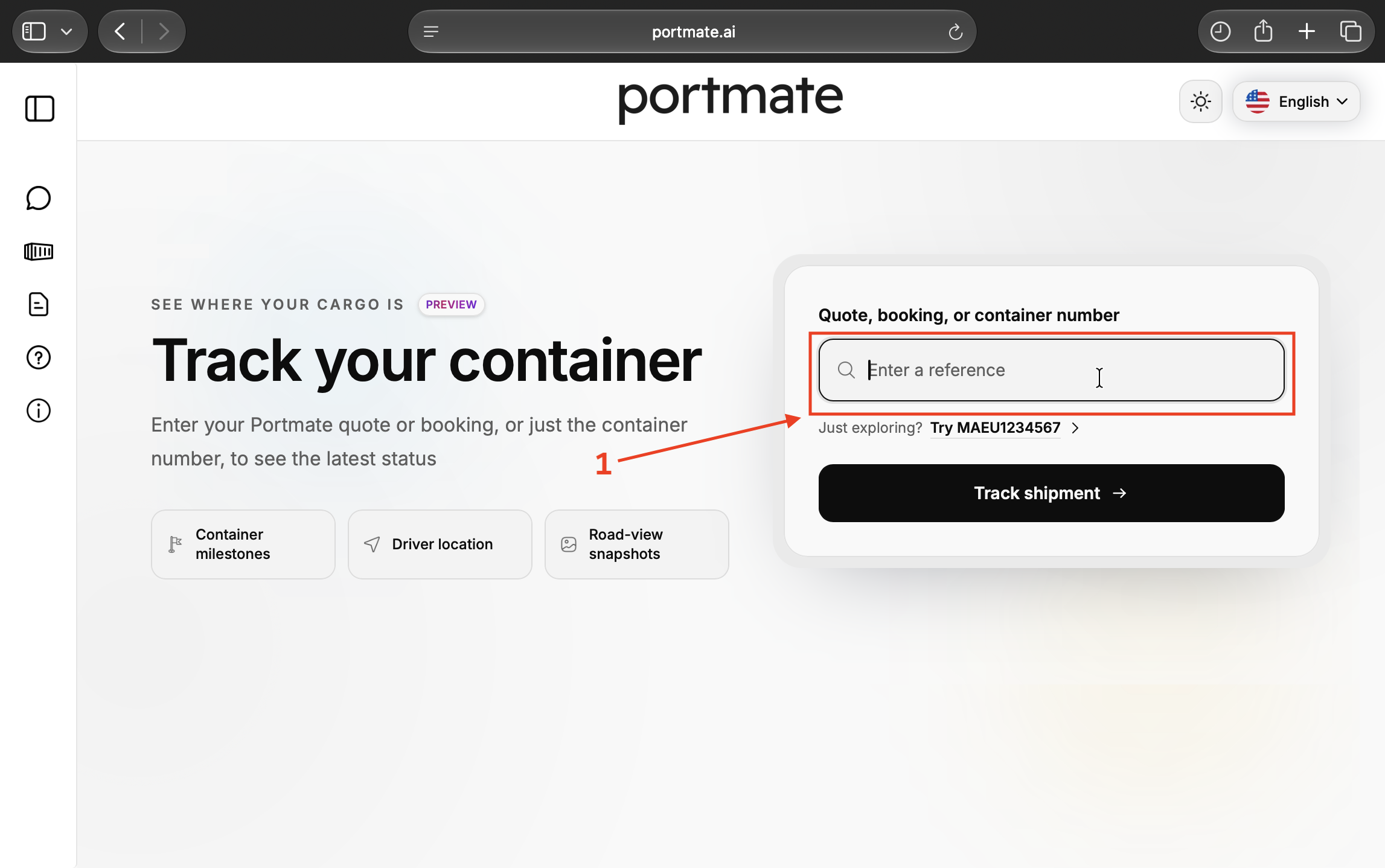
Step 4 — Select Track shipment. Check the reference and select Track shipment. The result includes the summary panel, map, shipment details, accessorials, and milestones.
Expand Current shipment update
The written overview has its own panel above the map.
Step 5 — Locate Current shipment update. Find the panel with the description A concise overview of the latest tracking information. It starts collapsed.
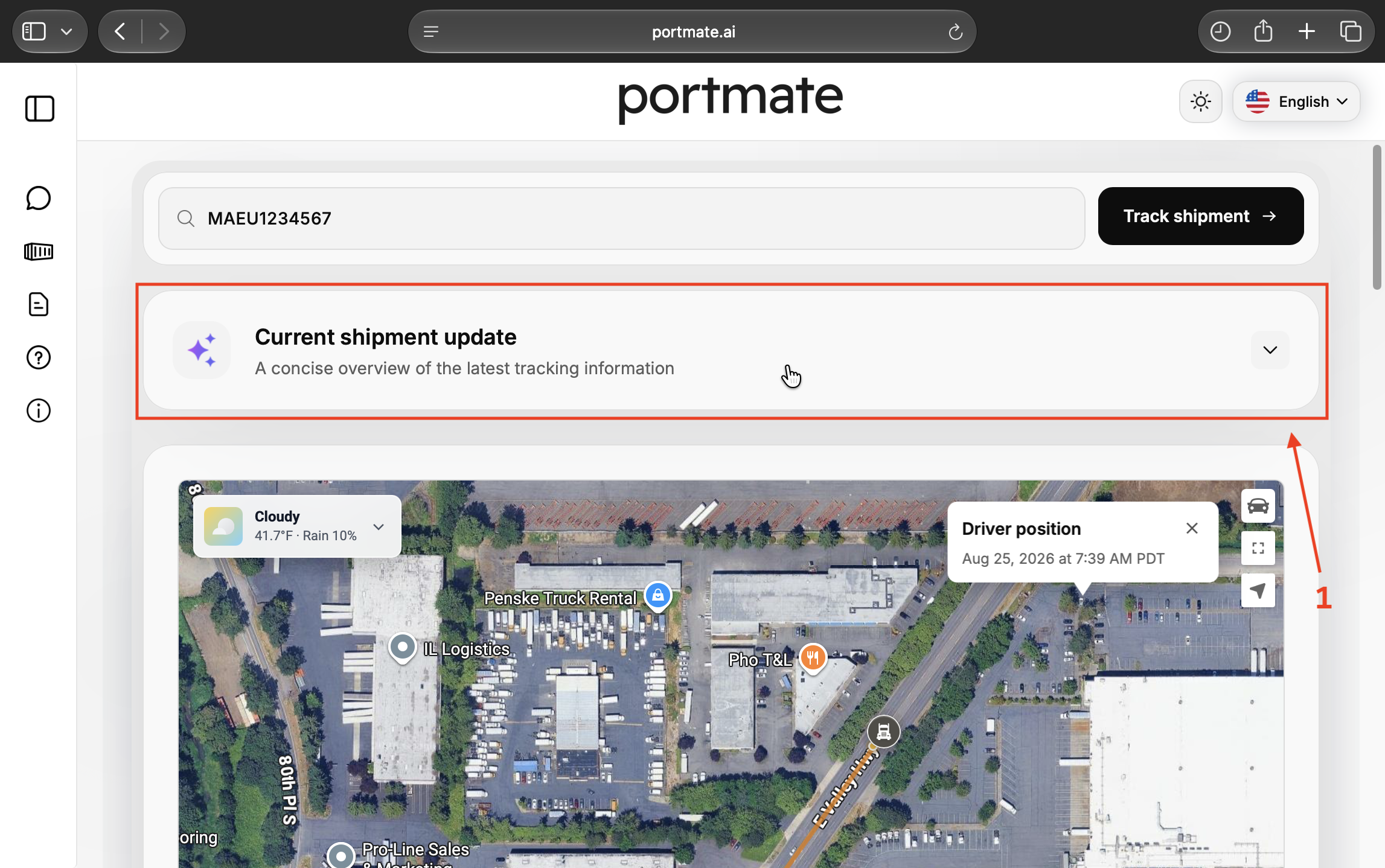
Step 6 — Open and read the summary. Select the panel or its chevron. While the overview is being prepared, you may see Preparing the latest shipment summary…. Read the sections as they appear, then scroll through the expanded overview for the remaining details.
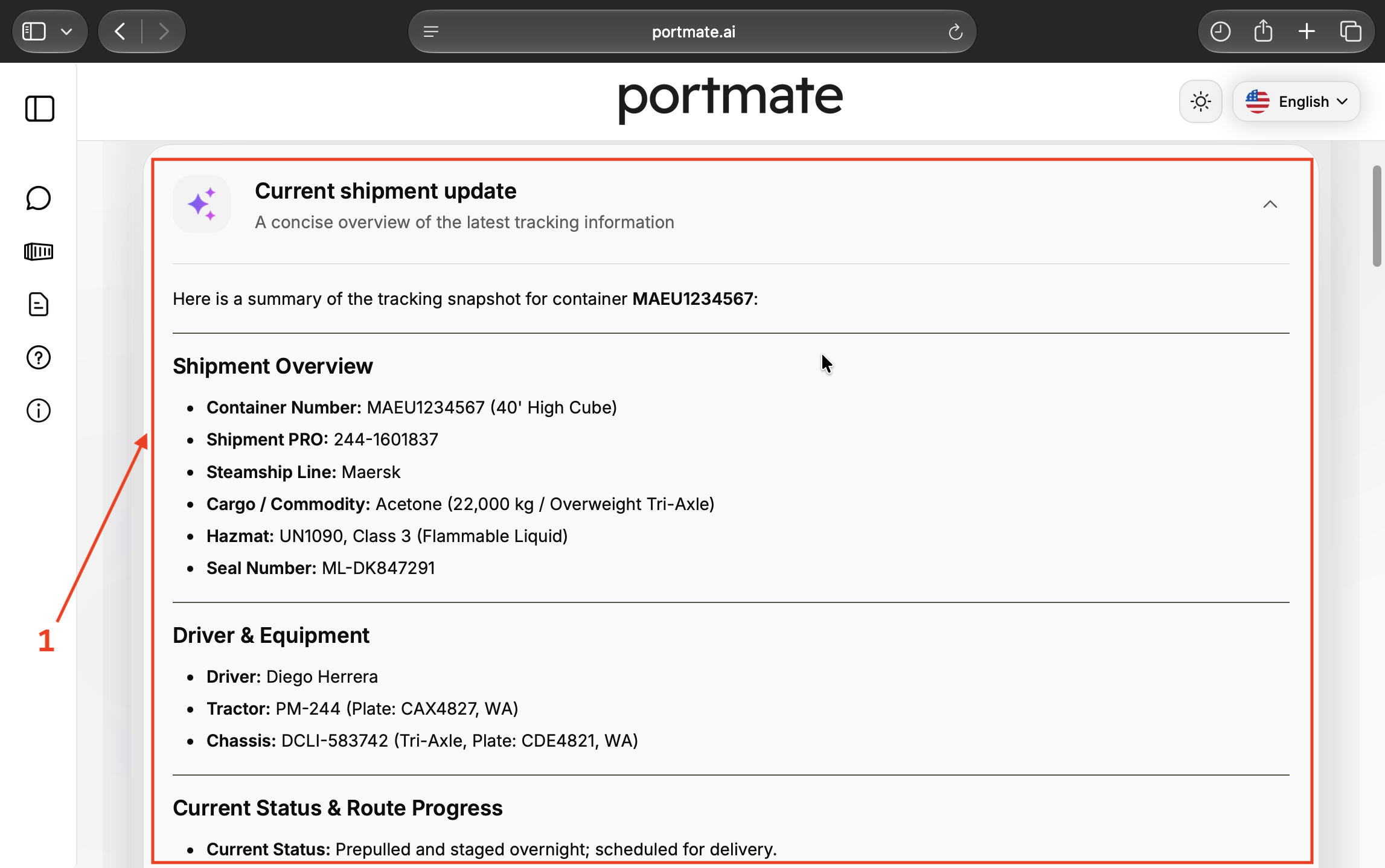
The screenshot shows the upper portion of one generated summary. Section names, wording, and length can vary. Treat the shipment reference and recorded facts as the anchors when comparing an overview with the underlying record.
You can collapse the panel to return to the map. Closing and reopening it retains the summary for that loaded result. To retrieve the shipment record again, submit its reference with Track shipment; collapsing the panel alone does not fetch a fresh record.
For the map controls and vehicle position timestamps, follow .
Read the main points before the supporting details
The overview may contain several sections because different people need different parts of the shipment. You can usually orient yourself by finding the following points first, then opening the details relevant to your task.
Confirm the shipment identity. Check the container, booking, quote, or shipment reference before using the update. This matters when several containers follow similar routes or have similar appointment times.
Find the recorded status and latest completed event. Look for what the record actually confirms: availability, pickup, staging, arrival, unloading, or return. A broad status such as Active needs the milestone history to explain how far the move has progressed.
Identify the next planned step. Find the next stop or milestone and its appointment or expected time. Keep that plan distinct from any available ETA and from an actual arrival timestamp.
Check restrictions, deadlines, and special requirements. A relevant hold, free-time deadline, cargo requirement, or equipment detail can change the question you need to ask next. Read the associated dates and notes rather than relying on a heading alone.
Check how recent the evidence is. Look at the latest position time and the relevant milestone times. A summary generated recently can still describe older observations.
A useful way to finish this first pass is to answer: What is established, what is expected next, and which fact still needs confirmation? If those answers are clear, you can decide whether to continue into the map, charge records, or operational notes.
Turn the example into a short, useful update
The demonstration shipment contains identifiers, cargo details, equipment assignments, several stops, notes, and charges. A customer asking about delivery usually needs a smaller selection of those facts.
The example's recorded milestones establish the following:
| Recorded information | What it tells you |
|---|---|
| Loaded container pickup has an actual time of August 24, 2026, at 3:33 p.m. PDT. | Pickup is recorded as completed. |
| An operational note describes pre-pull to Long Road Kent Yard for overnight staging. | The record explains the staging between pickup and scheduled delivery. |
| Consignee arrival is expected on August 25 at 8:00 a.m. PDT, with no actual arrival time. | Delivery has an appointment; arrival is unconfirmed in this snapshot. |
| Empty return is expected on August 25 at 11:00 a.m. PDT, with no actual return time. | The return remains a planned event. |
A concise customer update based on those facts would be:
Container MAEU1234567 was picked up from Terminal 18 on August 24 and staged overnight in Kent. Delivery was scheduled for August 25 at 8:00 a.m. PDT. The recorded snapshot does not confirm consignee arrival or empty return.
The first sentence explains completed progress. The second gives the plan. The third identifies the remaining uncertainty. The recipient does not need every equipment identifier or intermediate field to understand that position.
For an operations handoff, other details may be essential. The same example identifies acetone cargo, a hazmat classification, and a tri-axle chassis. A dispatcher preparing the next movement should retain those relevant requirements and check the operating instructions.
Choose the information for the recipient's task. A short update can still need several points when the shipment has a hold, changed appointment, special handling requirement, or unresolved milestone.
Use the overview for the next conversation
A summary is most useful when it helps someone decide what to read, ask, or coordinate next. These common situations call for different selections from the same record.
Answer a customer status question
Begin with the reference and latest confirmed milestone, then give the next scheduled event and any unresolved confirmation. Include the observation date when the update could otherwise sound current.
Before forwarding text, remove details the recipient does not need, such as vehicle plates or equipment identifiers unrelated to the question. Preserve the shipment reference, relevant dates, and any qualification that affects the meaning.
Hand over a shipment to another colleague
A handoff needs enough context for the next person to continue the work. Include the current recorded status, next appointment or deadline, relevant issue, and the action that remains with your team.
For example: “Arrival is still unconfirmed in the record; please check the consignee arrival milestone before advising receiving.” That is an instruction from the person handing over the work. Reading the AI summary does not assign that task or confirm that someone has completed it.
Prepare for receiving or review an extra charge
For receiving, compare the expected arrival and available ETA with the facility's appointment arrangements. Check for actual arrival before treating the truck as checked in.
For costs, use the overview to identify charge lines that need examination, then open Accessorials for the rate, quantity, reason, notes, and available proof. The demonstration's $400 accessorial total describes additional charge lines in that example; it is not the complete shipment price or a general Portmate rate.
The explains how to compare those lines with the shipment events and agreed terms. A summary mentioning a proof attachment does not establish what the document proves.
Check the evidence when a detail changes the decision
You can use an overview to find the relevant question quickly, then verify the facts that control an arrival update, charge explanation, or operational instruction. The following distinctions prevent common misunderstandings.
Keep plans, estimates, and completed events separate
An appointment or expected milestone time describes the plan. An ETA estimates arrival. An actual event time records that the event occurred. Preserve those meanings when shortening the update.
The describes events through what was involved, when and where something happened, and its business context. Those distinctions also provide a useful reading habit: identify the event and its evidence before describing it as completed.
A nearby truck position does not establish unloading, delivery acceptance, or empty return. For each of those questions, look for the corresponding milestone or supporting record. Likewise, a traffic ETA and an appointment can differ without either being an actual arrival time.
Read the observation time as well as the update
Different timestamps answer different questions. A milestone's actual time dates the event. Its created or updated time dates the record entry. A driver position timestamp dates the location observation. ETA details may separately show when the estimate was calculated and which position it used.
Do not substitute one clock for another. A milestone entered later can describe an earlier event, and a newly prepared summary can include a position recorded much earlier. For time-sensitive coordination, check the date, time, and timezone of the observation relevant to your question.
Treat missing or conflicting information as a reason to check
An empty actual arrival field leaves arrival unconfirmed in the available record. It does not establish that the truck never arrived. Similarly, an empty hold list should not be rewritten as an independent confirmation of clearance, and an unavailable charge amount should not become a zero-dollar charge.
If the overview and supporting fields appear to disagree, check that they refer to the same shipment, event, date, and timezone. Ask for confirmation when the conflict affects the next action. Preserve that uncertainty in any update you share.
The identifies the risk of fluent, confidently incorrect output. For a shipment summary, the useful response is a focused check of the identifiers, dates, status, amounts, or requirements on which the decision depends.
If the summary is missing, slow, or out of date
Start with the part of the workflow that is available, then choose the next check:
- No matching shipment: Check the reference for typing errors and try another known reference for the same move. The example number demonstrates the feature; your own move needs its associated record.
- The panel is still preparing: Allow the summary to finish. The map and shipment record can be reviewed while the written overview is being prepared.
- The shipment appears, but the written summary is unavailable: Use the shipment details, milestones, map, and accessorial records directly. The summary is an additional way to read the information.
- The overview describes older events: Check the source timestamps and submit the reference again if you need to retrieve the record anew. A new lookup cannot supply an event that has not been recorded.
- A detail you need is absent or unclear: Open the relevant panel or milestone. For a general term or process question, see . A shipment-specific contradiction or missing confirmation may need the operations team's review.
If a problem continues, use . Include the shipment reference, the relevant timestamp, and the field or event you need clarified so the team can investigate the specific question.